
Once upon a time, not that long ago, there was Loupedeck.
Loupedeck was an external controller that was programmable, using buttons, dials and rotary switches to control applications and devices from your PC or Mac. There were a couple of flavours of the Loupedeck; I had the Loupedeck CT which was the compact version, and used it extensively with DaVinci Resolve, Chrome, InDesign, Audition, Excel and many other apps.
There was a marketplace online you could download free and paid ‘profiles’, or you could create your own – albeit that being a somewhat complicated process for uninitiated.
I wrote one for Vegas Pro which was fun if you like doing that sort of thing.
Anyway, a-while’s back, Loupedeck got bought out by Logitech, and the CT has been extensively revamped and brought back to life as two products, the Creative MX Keypad and Creative MX Dialpad.
Although the basic concept of the Loupedeck CT is retained, that is you have touch pads and dials and buttons that interact with an apps profile to perform pre-determined actions, the way it is used is profoundly different and takes some adjustment if you are used to the original.
Out of the Box
Both the Keypad and Dialpad come with pre-installed profiles such as Adobe’s Audition, After Effects, Photoshop and Lightroom – primarily as you get 3 month’s free access to Adobe Creative Cloud in the deal. Also installed are profiles for DaVinci Resolve and Ableton, plus generic Windows commands such as Volume up/down, Explorer, Screenshot, Prev/Next track etc.
However, it is necessary to “connect” these profiles / plugins before they actually work, and then, for Photoshop for example I needed to do a reboot of the system. Once that was done though, all profiles worked and installed switched seamlessly from one to the other as you went from app to app.
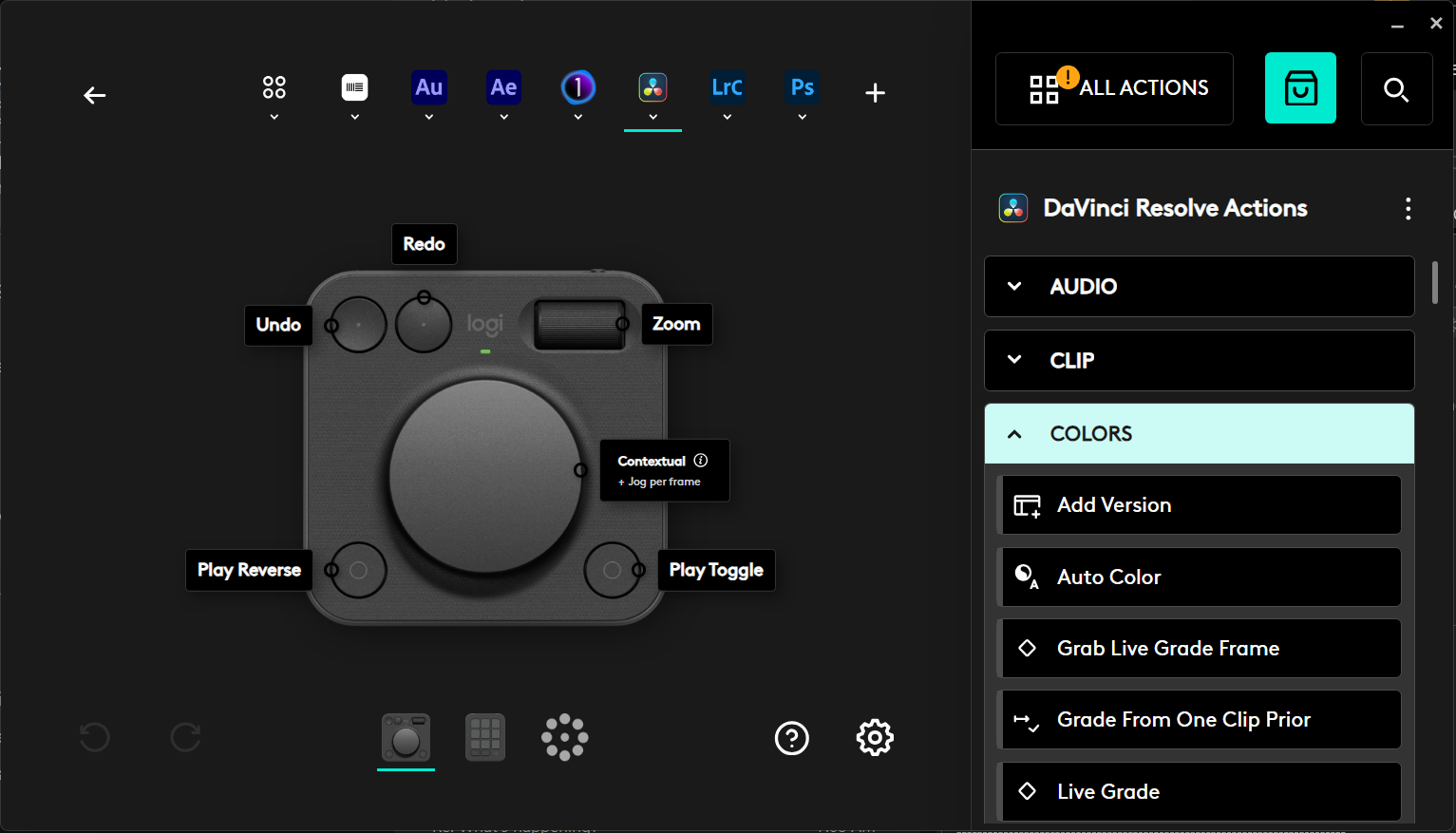
When using the Dialpad with DaVinci Resolve, the rotary dial is a welcome addition to use on timeline scrolling, but I have to say it is not as precise as Blackmagic’s own Speed Editor which stops immediately you stop dialling, whereas the Dialpad has a run-on effect for a second.
The number of commands available for Resolve via the Keypad are nowhere near the amount that were available in the Loupedeck CT, although to be fair, these were 3rd party profiles from Sideshowfx who also did apps such as OBS and others.
I have asked Sideshowfx if they are going to “port” to the Logitech Keypad but have not as yet heard back.
Adding Extra Functions To A Profile
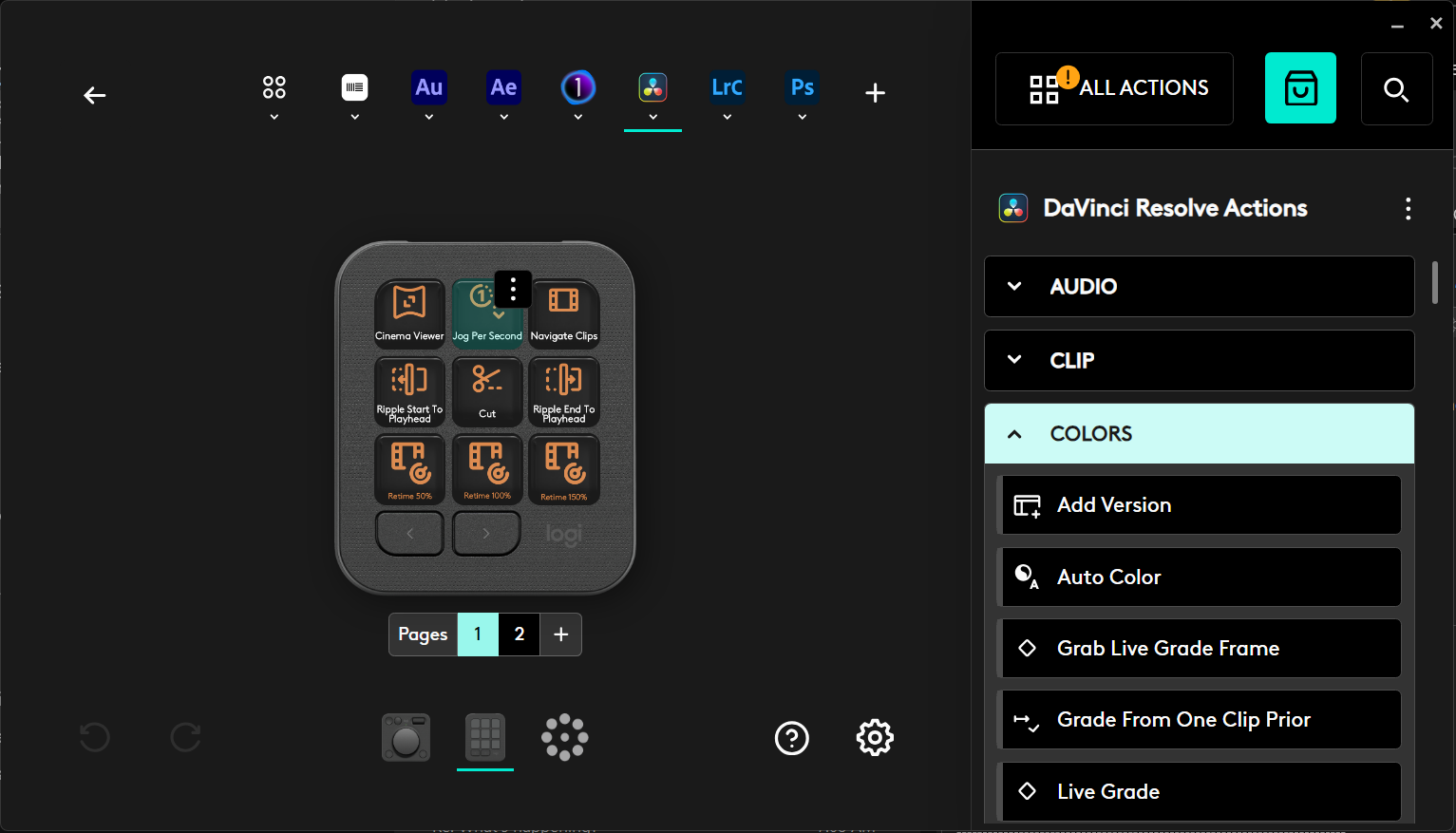
Adding extra functions to a supplied profile is quite easy as it happens. Simply go into the setup for the device = Keypad or Dialpad – and choose the application from the list. This then gives you a list of possible commands and you just drag and drop them onto unused keypad slots.
In the Keypad, each app can have up to 15 pages of 9 buttons each.
Each of the supplied profiles showed commands on the keys in monochrome on black – white or amber seems to be the favourite – but the unit does support full colour screens.
The Dialpad is a little more restrictive in its operation due to there being only the four buttons, the major rotary dial and a thumb dial. This makes it more for video / audio editing than other applications, but I do find the horizontal rotary roller useful in things like Word, Excel or even Chrome a bonus for vertical scrolling.
I haven’t as yet created a profile from scratch for either the Keypad or Dialpad; I think I’ll leave that for a combination review tutorial at another time.
Setup and Documentation
This is one area I think Logitech needs to look at. The only documentation is a drawing on the box lid as to the Bluetooth / USB connectivity, and a download symbol pointing to a URL for Logi+, the Logitech all-in-one app for all its devices. I did the download, but on running the app, I kept getting a weird error message as you can see.

Luckily, as I use a Logitech mouse and keyboard, I already had the app installed, so a quick reboot allowed it to pick up the new devices and install whatever it needed to install.
I will always rail against companies that try and skimp on documentation for the sake of saving a few pennies and this to be one of them.
C’mon guys, the angst and bad feeling you can potentially cause is worth preventing by even a decent PDF, although I still prefer a proper paper-based manual – with a decent font size!
Pricing
The two units come in a single box and cost around AUD$350. It’s hard to make a judgement either way as to the usefulness or otherwise as everyone’s workflow is different. Personally, I like using consoles such as these as they minimise wrist and other keyboard oriented actions – known causes of Carpal Tunnel as I know too well, plus other wrist issues.
They can also speed up some functions quite dramatically, especially video editing. I couldn’t work without the DaVinci Resolve Speed Editor these days.
As for the Logitech Creative MX Keypad and Dialpad, I’ll hold my full opinion for a few weeks while I integrate them into my workflow as see if it fits and is worth the effort and the price.
I’ll get back to you.