
Adobe has annonced a new bunch of features it has included in the venerable Photoshop software package:
Sharper, more precise editing:
- Light Adjustment Layer gives you professional-grade lighting controls — Exposure, Contrast, Highlights, Shadows, Whites, and Blacks — in a new non-destructive adjustment layer, so you get Camera Raw-level results without ever leaving your Photoshop layers workflow.
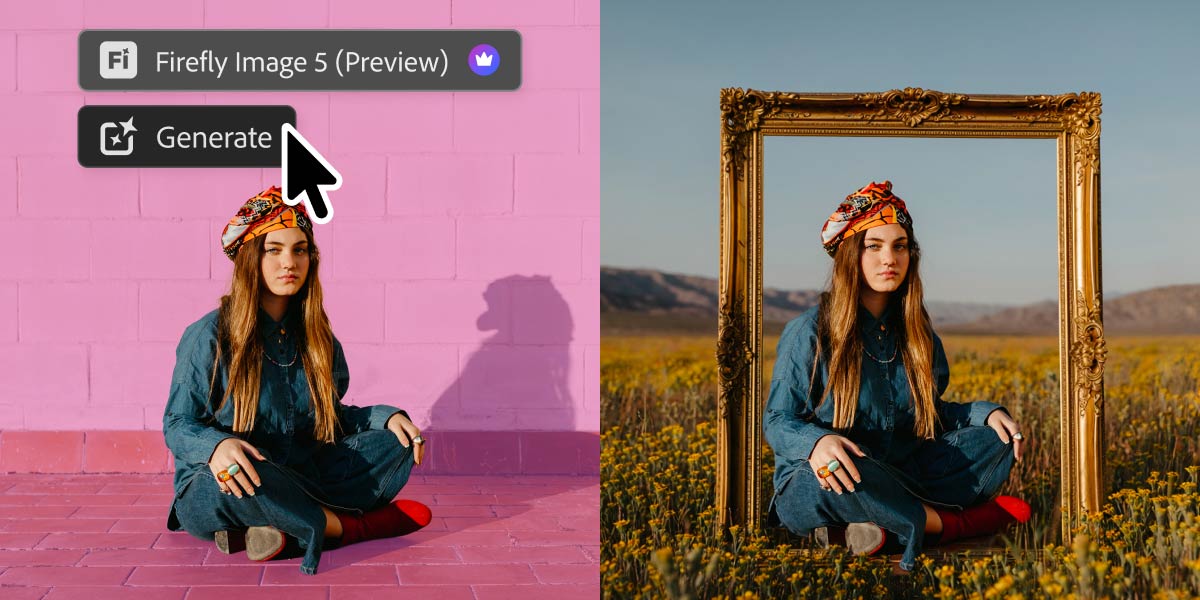
- Instruct Edit with Masks, powered by Firefly Image 5, understands the full context of your image so you no longer need to precisely mark every edit area yourself. Just describe the precise edits you’re looking for — such as opening closed eyes or placing a hat on a specific person’s head — with simple prompts. The unmasked areas remain untouched so your other important elements, like faces, logos, or brand assets, are protected.
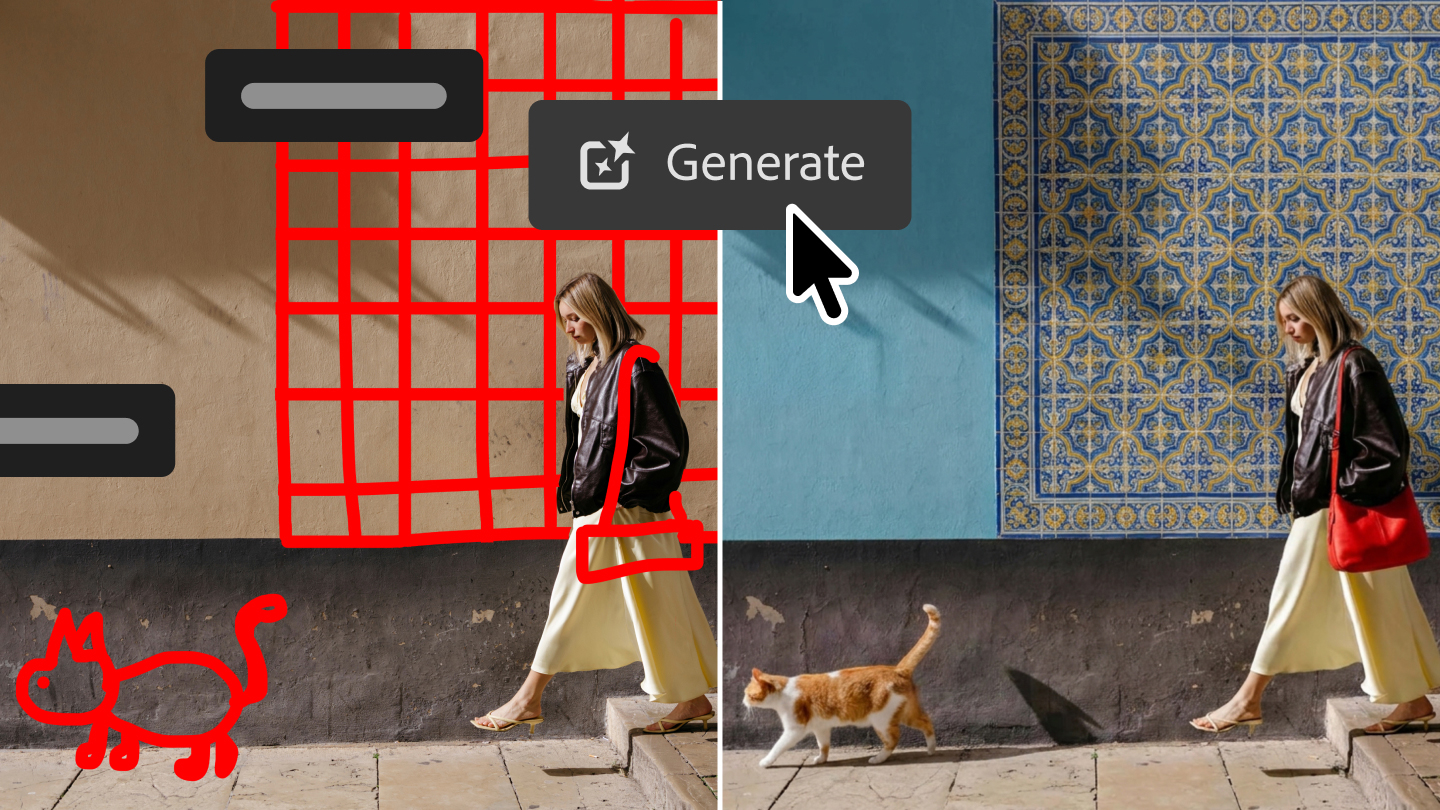
- Markup lets you visually communicate edits by drawing directly on an image to show the model what you want — select areas to recolor, sketch arrows to indicate position, or brush in rough shapes to suggest new elements — so you can get results that more closely match your vision while reducing the ambiguity of text-only prompts.
More control, fewer interruptions:
- Dynamic Text, Shapes and Paths extends Photoshop’s Dynamic Text to any custom shape or path, allowing text to adapt automatically along curves and freeform layouts so you keep your formatting without manual rework.
- Stock Panel Integration puts more than 900 million Adobe Stock assets right inside Photoshop in a dockable panel, so you can easily discover, preview, and use assets without leaving your workflow.
More flexibility in how you work
Everyone moves from idea to execution in different ways, which is why we’re adding more choice by bringing in a new optional space in Photoshop to try prompt-based editing outside the familiar Pro Editor workflow.
Introducing AI Assisted Editor
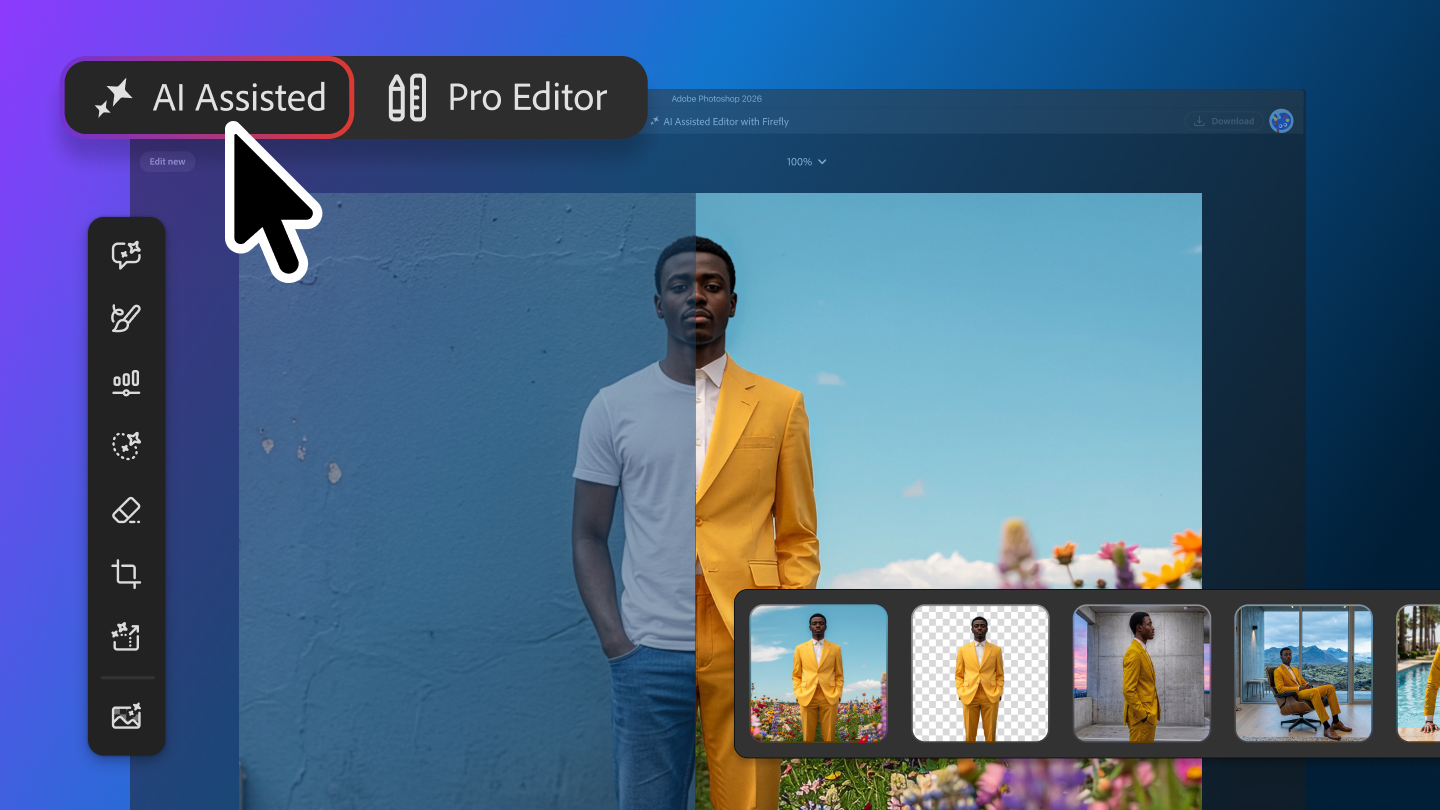
The AI Assisted Editor, now in beta, gives you the option of using a dedicated interface and natural-language prompt bar alongside popular generative tools powered by leading AI models, so you can explore ideas and make edits using simple prompts.
AI Assisted Editor includes:
- Prompt to Edit: Transform images using natural language prompts without complex manual editing.
- Remove Background: Erase backgrounds, refine edges, and customize images in just a few clicks.
- Generative Expand: Extend image dimensions and generate content that blends naturally with your composition.
- Remove Tool: Eliminate unwanted objects and distractions while maintaining realistic image quality.
- Generative Fill: Add, replace, or remove content using simple text prompts.
- Generative Upscale: Increase image resolution while preserving sharpness and visual fidelity.
- AI Markup: Annotate images to communicate edits visually and generate more precise results.
Prefer to keep working in the Pro Editor? Prompt to Edit offers the same natural language editing directly in the Pro Editor’s Contextual Task Bar, so you can transform an entire image using simple prompts, with no selection required, right from the context bar you’re already using. Every Prompt to Edit result becomes a generative layer in your layer stack, so your edits stay organized and non-destructive
Whether you prefer prompts, precision tools, or a combination of both, Adobe says Photoshop now offers even more flexibility to support the way you create.