
It would be easy to compare the latest OSMO Action 6 from DJI with the Hero 13 from GoPro, but I am not going to do this.
It’s not a fair fight to start with as the GoPro is now 2 years old and therefore DJI has a leap, that in real terms is a lifetime in the technology world. To compare it to the upcoming GoPro Mission series is not fair either as they are distinctly different cameras.
The only thing I could compare it to is the latest from Insta, but I haven’t seen that (yet). So, all that remains is to explain what the OSMO Action 6 is, and what it does.
However, I am going to digress from the standard type of review, and cover the OSMO Action 6 as an ecosphere, as this I believe is the way DJI has designed this camera – a part of a whole if you like.
The Camera

Let’s start with the camera itself. On the surface, it looks just like every other OSMO Action model, itself based on the very successful GoPro paradigm, but under the skin there have been quite a few tweaks made.
The biggie is the addition of variable aperture. For those not in the know, the aperture – sometimes called the iris – is the opening in the lens that lets the light in. Being able to change the aperture between f/2.0 to f/4.0, which conversely means making the size smaller not larger, lets you play around with things like depth of field whereby you can make an object close to the lens sharper and something in the distance out of focus. Or of course, vice versa.
DJI says the actual focus range is 0.2 metres to infinity. Previous models (or GoPros) do not have this option, and it does open up a whole new world for those who understand photography, or “painting with light” as my good mate Peter Aitchison, a master snapper, used to call it.
From the 1/1.1” CMOS sensor, you can now get photos of approximately 38 megapixels which is more than enough in the real world, and up to 4K video with 120 frames per second. Drop that resolution to HD (1080p) and you can up the frame rate to 240 fps giving you genuine slo-mo capabilities.
Timelapse and Hyperlapse are also available in 4K, 2.7K and 1080p.
What’s the difference between those two? Thanks for asking.
Timelapse is a series of photos taken from a fixed position captured at regular intervals and then played back as video. An example would be shots taken of a building site in progress, sunrises and sunsets, plants growing and so on.
Hyperlapse on the other hand is a timelapse but taken where the camera moves between shots. Examples here include walking through a city or travel sequences. Drone flyers especially love hyperlapse.
The OSMO Action 6 is also optimised for low light, a noted failure of GoPro products by the way, with a SuperNight mode also available in 4K, 2.7K and 1080p.
For stability of shots, the Action 6 utilises two versions of DJI’s RockSteady technology. The base version, 3.0, uses gyro + frame analysis + cropping to smooth footage and is the best all-round setting to use. The second, 3.0+ uses a more “aggressive” algorithm, with cropping further into the image giving it elbow room to correct any motion. It does end up with a narrower field of view, but when there is heavier vibration and motion, gives a much better image.
This footage was shot using RockSteady 3.0, and despite it being a bit “lumpy” on the ocean that day, it has smoothed out quite reasonably.
To correct for wonky shooting angles, you also get Horizon Balancing and Horizon Steadying.
As per previous models, you do get both a front and rear display, with the front one being 1.46” and the rear at 2.5”. Frankly, unless you do a lot of selfies, I’d turn off the front screen to save battery life which under optimal conditions is rated at around 4 hours.
One spec I do like in all new DJI cameras (and drones) is the onboard memory – in this case 64GB of which 50GB is usable, in addition to the SD card option of up to 1TB.
Hint: Don’t ever use a 1TB card, or even 512GB. If you lose it or something goes wrong, everything is gone. In my opinion, it’s better to have a series of 128GB cards you can swap in and out, and transfer to something like a Samsung T5 SSD drive at the end of each shoot.
Another big factor is that the DJI OSMO Action 6 is waterproof to 20 metres without any external casing, and up to 60 metres with a case. I have never heard of a DJI Action series camera kark itself in water when there is no case; this is certainly not true with equivalent GoPros.
Jus’ saying.
One aspect that many may find useful is basic motion tracking with the Action 6. In effect it works in real time with AI -like processing keeping your subject in centre of frame while recording.
It’s not up to the quality of the DJI ActiveTrack system which requires a gimbal, but nonetheless does a passable job for what it is, but only works in 1080 and 2.7K video modes.
For connectivity purposes, the DJI OSMO Action 6 supports Wi-fi, Bluetooth and USB-C.
Finally, in the audio area, there are three built in mics, noise reduction is supported and there is wireless mic support for specific DJI mics.
More on that in a moment.
In Use
I used the DJI OSMO Action 6 for the last week on a holiday in Broome in the Kimberley region of Western Australia along with its sibling, the DJI OSMO 360. The menu system was easy to follow and to change settings as needed, and in situations where you need to start shooting at a split second’s notice, simply pressing the record button fired up the camera instantaneously in the last mode that was dialled in.
When fishing, instant on to record is a major bonus of the DJI OSMO Action 6
Image quality is likewise excellent in both video and still modes, which after all, is what it is all about, and the stabilisation system was superb.
In short, the standout qualities for me are:
The variable aperture
- Large sensor for low light
- Excellent stabilisation
- Built in memory storage
- Strong waterproofing
The DJI OSMO Action 6 is available for around AUD$669 which gives you the camera, one battery a USB-C cable, curved mount and locking screw and the DJI universal magnetic “finger” mount.
As I mentioned at the start, I am treating the OSMO Action 6 as an “ecosphere”, and as such DJI has a number of products that are designed to work seamlessly with the camera.
This is not all of them by any means but is a good cross selection of things most people could use.
Macro Lens
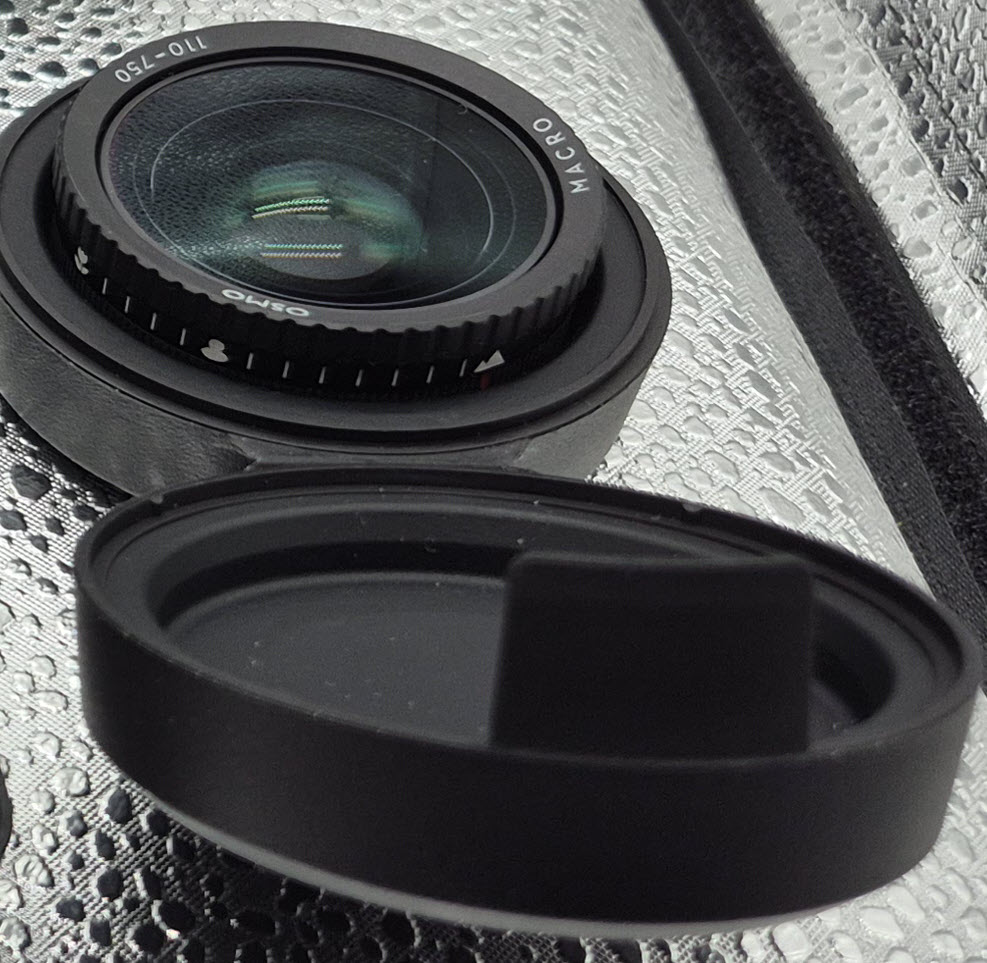
DJI has also made available a macro lens for the Action 6. To use it, the existing lens is simply unscrewed and the macro one screwed back on. This gives a close focus of 11cm to 75cm with manual adjustment which is much closer than the standard lens allows. With this, you thus get much tighter framing option and a shallower depth of field capability with the popular “blurred background” look.
The companion DJI Mimo app works with the Action 6, and with the focus peaking option in the app, this assists in manual focussing.
The macro lens is deal for such things as product shots, food close ups, nature shots like insects or plants or if you are especially into “cinematic” vlogging shots with blurred backgrounds.
Note the macro lens is NOT waterproof!
It’s not a cheap add-on I have to say, typically costing around $300, but then again, it’s not for everyone.
DJI Mic Mini 2
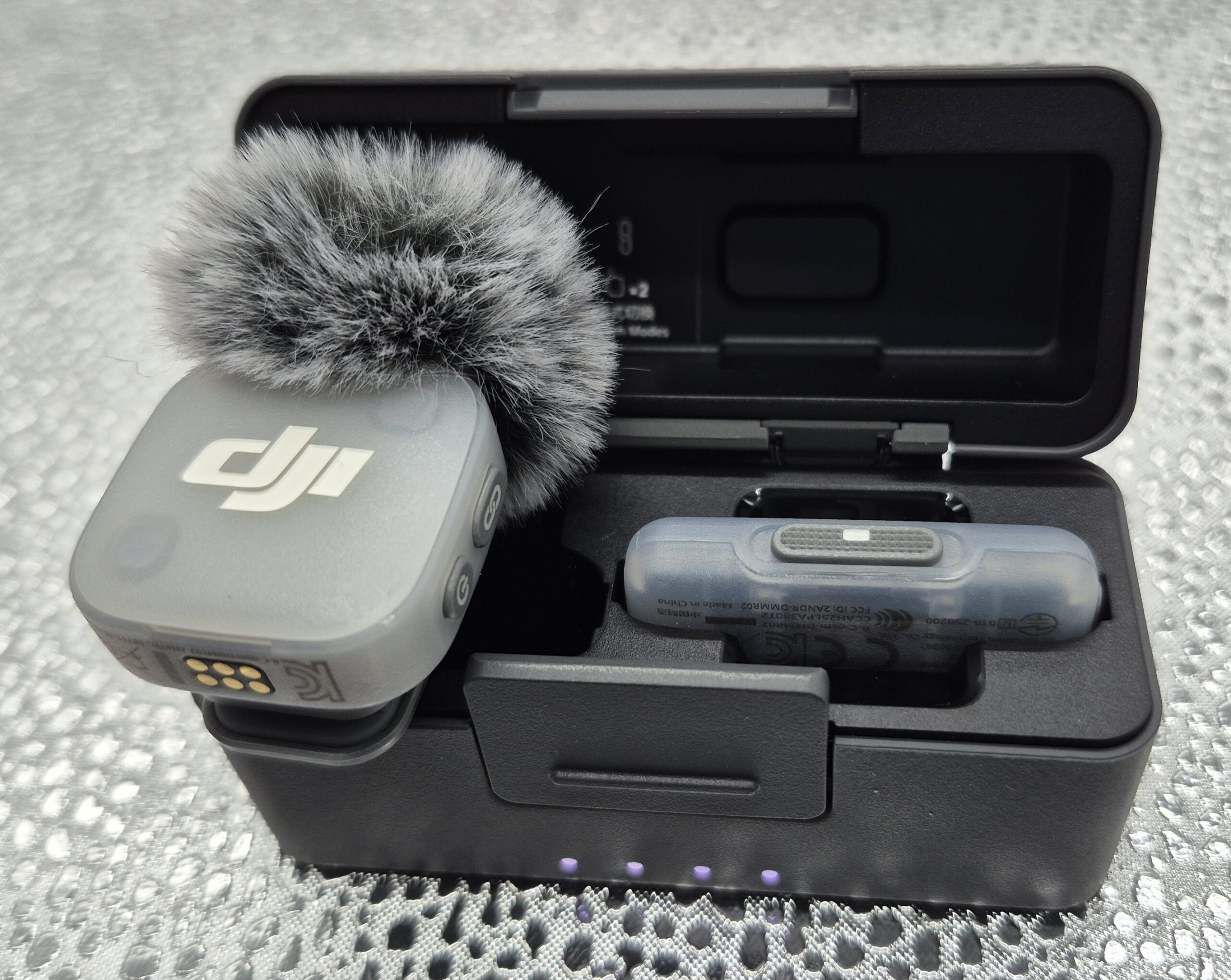
While the DJI OSMO Action 6 has three built in mics, and the audio is generally very good, there are times when an external mic is of use. Here is where the new DJI Mic Mini 2 shines.
Using DJI’s own audio technology for connectivity, this tiny wonder gives you either direct connectivity to the camera, or via a supplied receiver, to a smartphone or other USB-C based device that has the ability to record.
The actual mic as mentioned is tiny – or “ultra compact” as DJI calls it – and you get a theoretical best-case range of up to 400 metres with it, which is remarkable.
Audio quality is 24bit / 48KHz and the battery is said to be good for 11 hours.
You get three presets too – regular, rich and bright as long as you use the DJI Mimo app – plus gain control and dual transmitter support from the receiver if required.
Look, it’s not what you’d call “pro studio quality”, but for what it is, it does a remarkable job in my opinion.
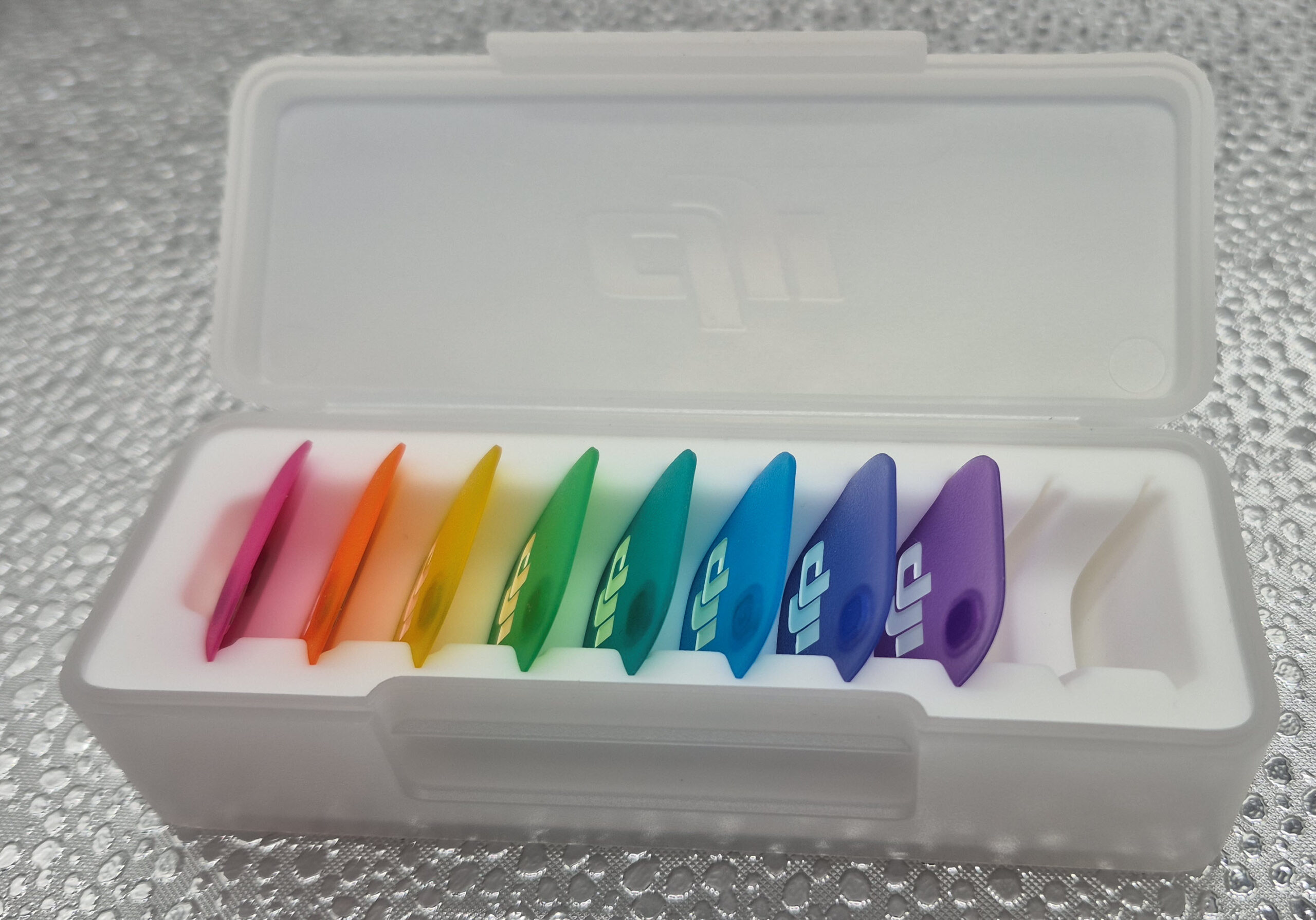
Oh, and if you are fashion conscious, you can get different coloured wind screens and outer panels to match your latest outfit.
The DJI Mini Mic 2 is available for around $90 or so. Shop around.
ND Filter Kit
I won’t go into detail what ND filters are for as I wrote a mini-tutorial some time back and you can read it here.
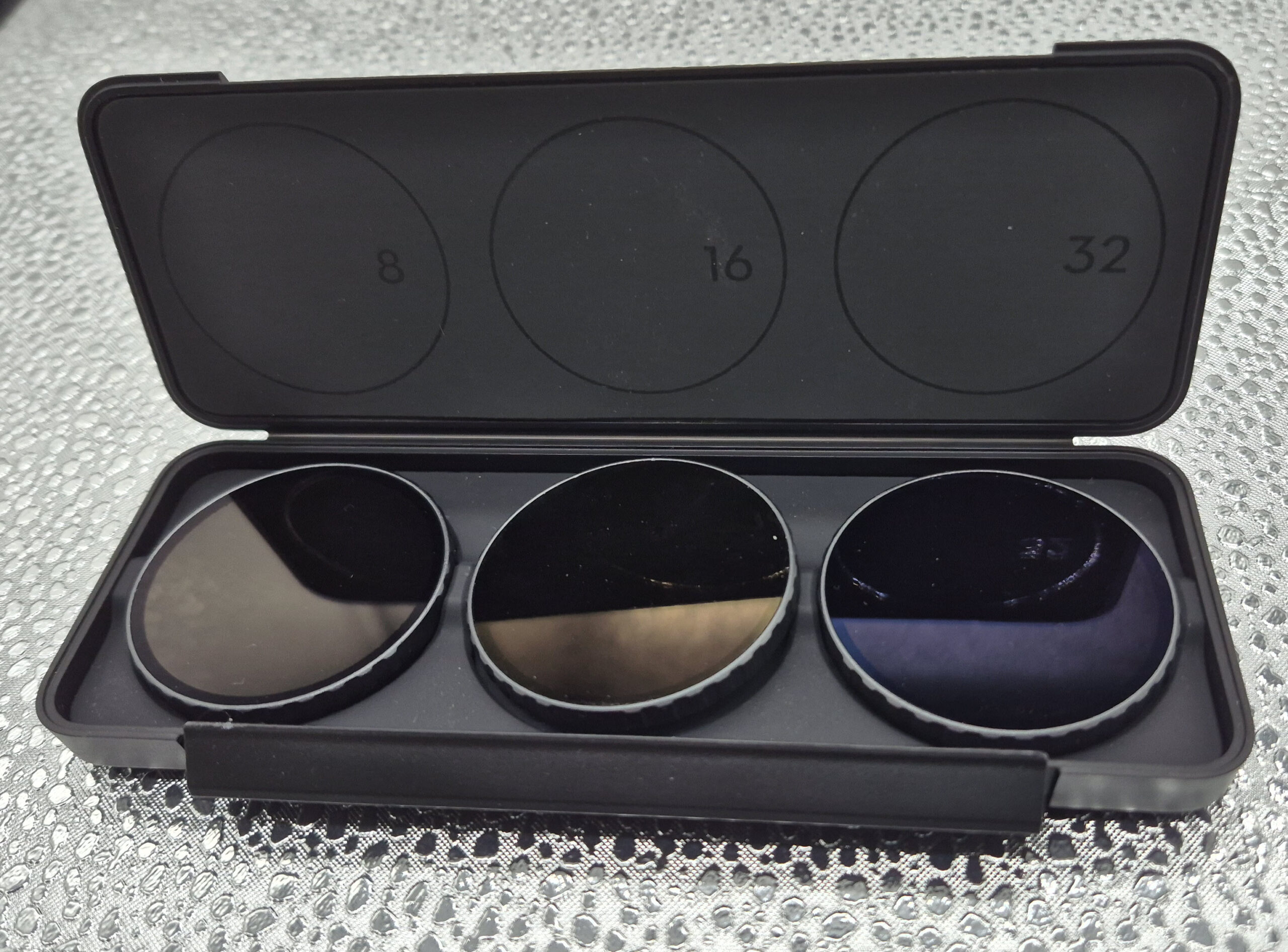
Suffice to say, for the DJI OSMO Action 6 there is a kit of three ND filters available with the contents being an 8, 16 and 32 rated filter that screw onto the standard DJI OSMO Action 6 lens. It costs around $120.
There are other accessories either too obvious they don’t any sort of review – selfie sticks spring to mind – and there are also a wide-angle lens and underwater housing among other things, I didn’t receive in my review kit. The D1 store online has all that stuff, details and pricing.
Conclusion
If you are into “action” stuff and need a robust and very capable camera to record your, or others antics, you should have a look at the DJI OSMO Action 6. The competition at this stage is the GoPro 13, which I am of the opinion is not up to the technical level of the Action 6, or something from Insta, which as I have never seen their range, at this time I cannot comment on as a result.
As mentioned, I used the Action 6 in the field for over a week, and it didn’t miss a beat. It was easy to get used to, and I am more than happy with the results.
One Comment
[…] audio system called appropriately OSMOAudio. When used with supported wireless mics such as the new DJI Mic Mini2, there is no need to use the receiver as the mic will connect directly with the […]