
The one thing about new tech arriving is that you should never discount it. For example, when they were first mooted, there were two specific things I can recall I, to my eternal shame, I pooh – poohed – smartwatches and electronic maps.
I know I was not alone, but the problem was I didn’t think through what the longer-term possibilities were, and now of course, just about everyone uses GPS / Google maps and wears a Samsung Galaxy, Pixel or Apple Watch.
This is why I wanted to explore in some depth a program I was introduced to last week called OSMO Overlay. Now after dabbling with it for a few days, I think I see some real potential for it as is, and certainly in the future, depending on how far the developer, Poland based Sefinek, decides to take it.
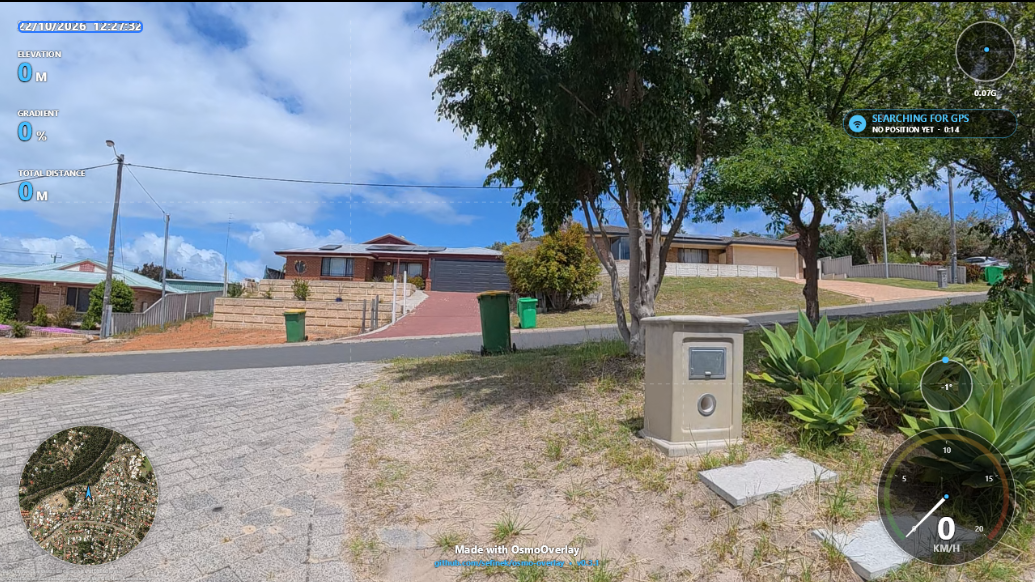
Click the image above to get a larger version off the screen and footage section
DJI OSMO Action 5 and 6
The name derives from the fact it is, at this stage anyway, solely designed to work with DJI OSMO Action models 5 and 6 cameras in conjunction with the DJI Bluetooth Remote controller.
The principle is very simple; when you shoot video with either of these cameras, as well as the vision and audio, the camera also records what is known as metadata.
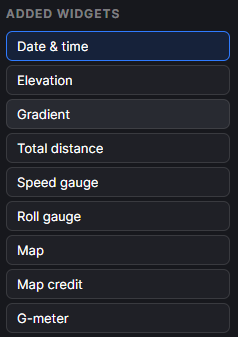
The term “metadata” covers a huge gamut of possibilities, but in the case of OSM Overlay, it means information such as Date and Time, Elevation, Gradient, Distance, Speed, Roll, G-Forces and of course, data generated by the GPS including a map.
GPS
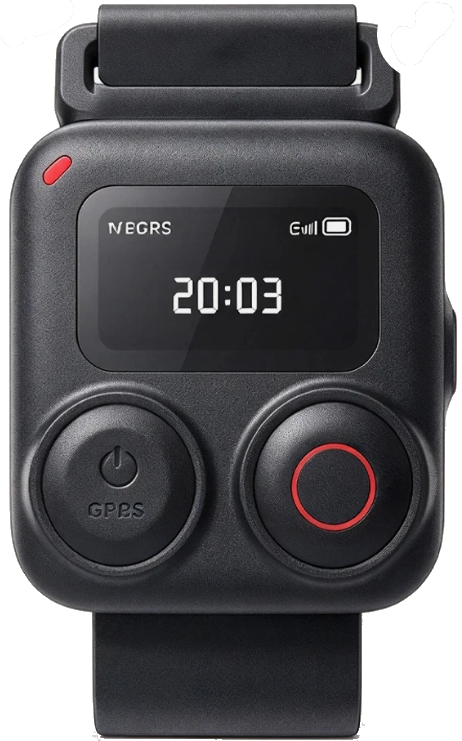
The DJI OSMO Action 5 and 6 don’t have an onboard GPS chip, but there is in the Bluetooth remote, hence why it is needed to get the breadth of data to make OSMO Overlay useful. You can slo use your smartphone in conjunction with the DJI MIMO app if you don;t hjave the Bluetooth controller.
The video you see is from my front garden and uses a default setting to put the data on screen you see – the overview map in the bottom left, the speed of movement in the bottom right with the roll amount just above it.
In the top right is the G-Force meter and at top left, Date and Time, Elevation, Gradient and Total Distance Travelled.
You can create your own presets to place the data points on the screen anywhere you’d like and these are slected and dragged on from the widget list on the right of the main screen.
Once you have the finished overlay on top of your original footage, you can render the completed video, only a selection or a green screen version of just the overlay information for later rendering over something else.
Options
Other options available to you include gridlines, snap to grid, save an individual frame as a PNG file, timecode options and the ability to add what the developer has called “Key Moments” such as top speed mark, highest and lowest pont and so on.
If you play the complete video at the end of the article, you’ll note that it appears the data doesn’t quite seem to match the actual footage, and this is due to the fact the GPS takes a while to sync into enough satellites to get a proper fix, so in a real-world operation, you’d wait a minute or so to ensure that has happened before starting recording proper.
Uses
Due to my background in motor sport, I can see OSMO Overlay being a very useful tool in that sphere whether it be track based vehicles or rally driving, and I can also imagine it being useful for boaties and yachties. I am sure others will think up their own ideas, for example hikers, joggers, skateboarders, skiers, kayakers and so on.
Hopefully, the developer will expand this application to embrace other DJI products especially its drones and potentially the Pocket series, as well as branching beyond the DJI ecosphere into GoPro and Insta360 products.
At this stage, OSMO Overlay is Open Source and can be downloaded for free from https://github.com/sefinek/osmo-overlay#download