
It doesn’t seem that long ago I had a Canon camcorder live streaming for the very first time.
Sure, it was only going into the interwebs to YouTube and then playing back on my own computer monitor, but it was before the NBN arrived, so we were still on ADSL; it was amazing and opened a whole new world. The software took a bit of setting up, and it wasn’t high res, but hey, it WAS only 2012.
Today, I hooked up the new DJI SDR 2 to a DJI OSMO Pocket 4P and successfully broadcast 4K video wirelessly to a Blackmagic Design ATEM Mini Pro. (Yes, I know the Blackmagic Design ATEM Mini Pro will autotragically down sample it to 1080p, as will a RØDECaster Video).
But, and here’s the really cool bit, for my initial test, I was only transmitting the video a short distance, but in the real world, the SDR 2 will transmit up to 4 kilometres, conditions depending, and with a latency of only 35ms which I think is astonishing.
And for under a grand – well $999 for the combo kit of two transceiver/receivers or $569 for a single transceiver / receiver.
Details
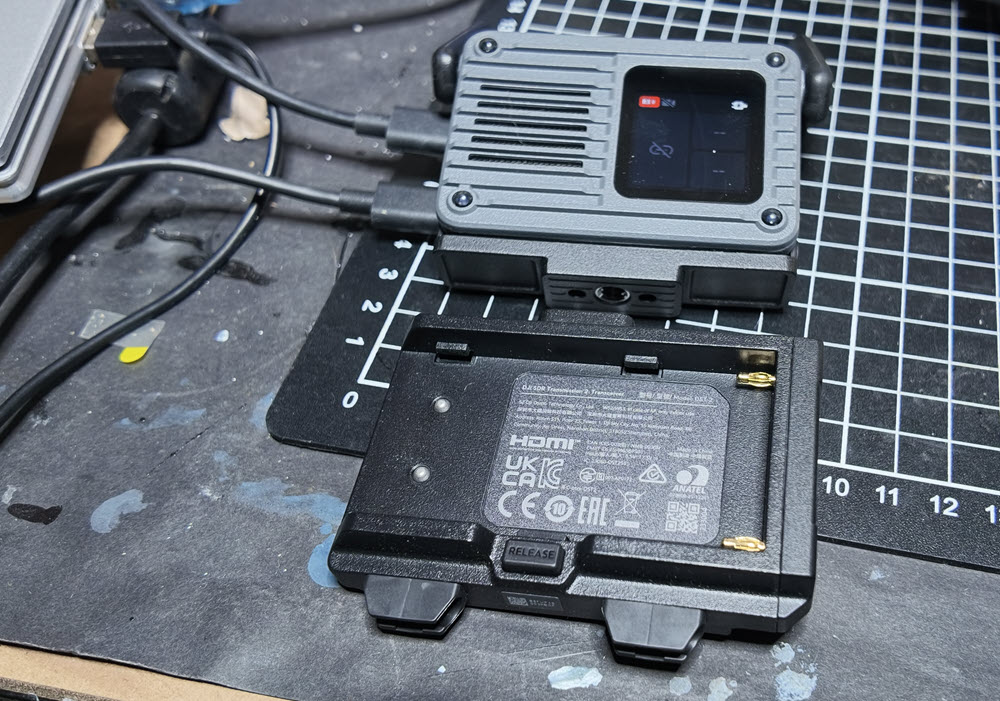
In its basic form, the DJI SDR 2 is a pair of combo transmitter / receivers (TX/RX) about ½ the size of your average Samsung smartphone, with an antennae system that flips up. The actual size of each is 76 x 54 x 25mm if you want to be exact and each weighs a miniscule 136g.
Power is supplied by USB-C – there are no internal batteries – and that can come from a suitable 240V 65W adaptor, power bank, or as I tested, directly from a DJI gimbal such as the Ronin RS 5. Also supported are the RS 4 Pro, RS 4, RS 3 Pro and Ronin 2 plus the high-end cinematic DJI Master Wheels system.
Additionally, industry standard NP-F batteries supplying 6.8 to 8.4V are also supported by a special carrier bracket for the battery the TX/RX slides into.
The RS 5 has built in a rack below the mounting plate for the camera the SDR 2 can slide directly into via an integrated rear mounted cold shoe, and I assume other Ronin gimbals would similarly allow a mounting this way.
There is also a standard tripod thread on the base of the TX/RX units.
When the TX is connected to one of the supported gimbals, you can wirelessly control the stabilizer with support for gimbal control and re-centreing. Additionally, if the stabilizer is connected to a supported camera, you can remotely trigger video start/stop – which sadly I could not try as my Canon 5DS is a bit long in the tooth and not supported by the RS5. I did attempt to get a suitable camera, but it couldn’t arrive in time for deadline, but I hope to test this feature in the very near future.
There is a second USB-C port that can be used as I did, by a DJI OSMO Pocket 4P Pocket 4, Pocket 3 or Action 6 to receive the streamed video. The Pocket series gimbal can also be controlled from the screen of the SDR 2 system.
Additionally, a feed can be sent via HDMI connection (I used the Canon 5DS successfully for this).
Either unit can be put into RX or TX mode. One RX can support up to 8 TX units, but DJI recommend 5 TX units gives the optimum multi-unit performance.
A scenario might be a director scheduling multiple camera sources using one tap on the screen, and up to 8 crew members can perform uplink control simultaneously thus making multi-camera shooting more efficient.
In multi-receiver scenarios, the transceiver will automatically adjust the bitrate to optimize monitoring quality for remote camera positions. Channel selection is done automatically.
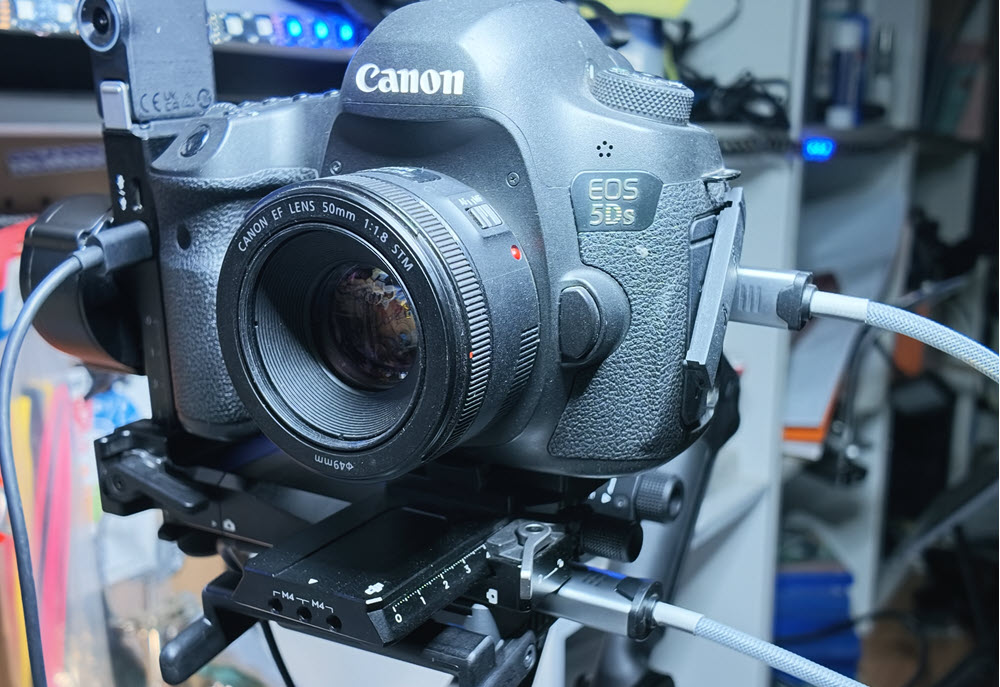
On the receiver end for monitoring, the DJI RONIN app is used connected via, again, either USB-C or alternatively, you can connect the receiver’s HDMI port to an HDMI camera in-port on a switcher like the Blackmagic Design ATEM Mini Pro or RØDECaster Video for further keying and processing of the remote video stream.
I successfully used my Samsung S24 smartphone as the monitor and was able to control the Pocket 4P start / stop and gimbal movement with ease whilst simultaneously recording.
A wide range of frame rates and resolutions etc is supported from 4K as mentioned down to 720p, from 23.98fps to 60fps in 10 bit, HDR and H.265.
Setup
I was initially a little confused when setting up the SDR 2. On the Canon 5DS it was a simple affair, simply plugging the HDMI out from the camera to the HDMI on the SDR TX. Initially I was pulling power for the TX from a Verbatim wall charger – it insisted on using the 65W port or it simply wouldn’t work. Later I also tested it with power coming from the USB-C port of the RS5 the Canon 5DS is mounted on, and this is the preferred method of course, giving far more mobility. I then connected the RX via HDMI to the Blackmagic Design ATEM Mini Pro and it just worked! Ditto to the RØDEcaster Video.
What threw me initially was connecting the RX to the OSMO Pocket 4P. I made the assumption (always a bad idea) that the DJI MIMO app would be used on the 4P, but all I could get was colour bars. The manual made no reference to the app to use, just the referenced the plug connections needed. All of these are supplied in the combo kit, including a special USB-C to USB-C cable with a locking pin for the TX when using USB-C (as against HDMI)
A few quick emails back and forth to DJI soon sorted the error of my ways. Even though I was not using a RONIN gimbal, but the OSMO Pocket 4P, the RONIN app was still required. Once I had that sorted and ascertained it *seems* the power up order is significant (RX, TX, Camera and then choose DP In on the TX screen and 4K streaming on the OSMO Pocket 4P) it all worked flawlessly.
The DJI Ronin app also supports mainstream monitoring assist tools, including LUT, focus peaking, waveform, and false colour, for a more professional monitoring experience. In addition, the system supports PTP control for compatible cameras, allowing users to view and adjust aperture, shutter speed, and ISO, and to trigger photo capture and video recording through the app, as well as cameras with CEC control to enable virtual menu functionality
Accessories
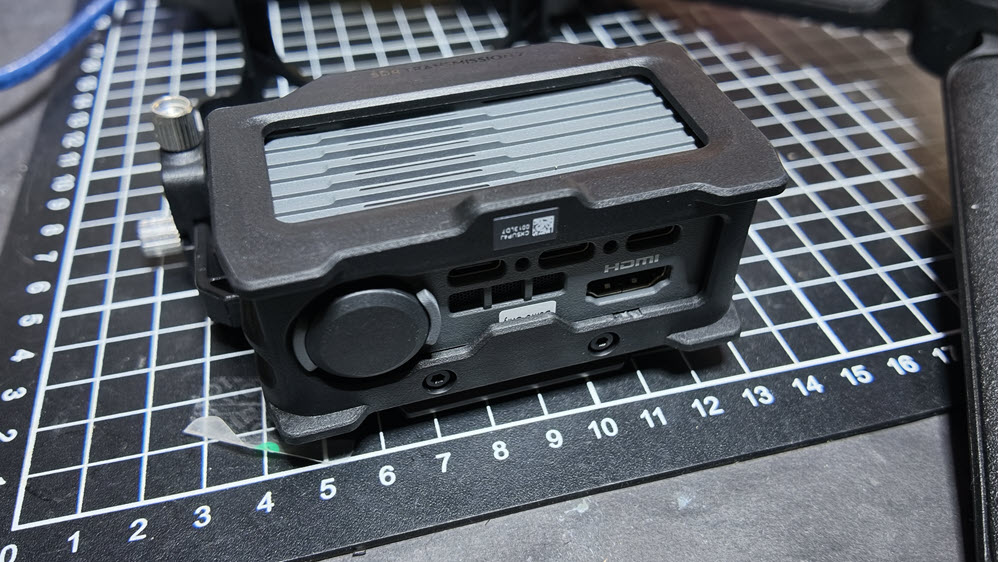
DJI also sent me an Expansion Kit for the SDR-2. This consists of a cage that can carry another two TX/RX units (one is supplied), but more importantly also adds another 3 x USB-C ports, an HDM port plus a D-TAP connection. This retails for $349 and I suspect most pros would be getting one of these in addition to at least one combo kit.
Conclusion
There is no question for live transmission the SDR 2 is an elegant solution. Small, adaptable, inexpensive relatively speaking, quick and easy to use and setup (once you know how)
What makes it brilliant though, is the fact that no matter the shoot needs something like a, oh I dunno, Canon XA75, Pana LUMIX S9, Fujifilm X-S20 or indeed, a DJI OSMO Action 6 or Pocket 4P, it just works!
DJI are masters at this stuff and simply know how to make kit that people want, and bring it out at a reasonable price.
I suspect the SDR 2 is going to fly out the door and open up a new world to a lot of video folk beyond the pro market.
I’ll be having a further play with the DJI SDR 2 in a real time environment soon and will report back.
For more information and technical specifications, see www.dji.com/sdr-transmission-2