
I have been using teleprompter from Elgato for over a year now and it made a massive difference to my workflow when making video tutorials or vlogging; I reviewed it here.
Yesterday I took delivery of its bigger brother, Prompter XL and I am impressed even further.
Differences
So what are the differences? Well as they both use the Elgato Camera Hub as teleprompter software they operate in much the same way. The major difference is simply physical size with the Prompter XL offering 396mm display at 1920 x 1080 px against the basic Prompter at 228mm screen at 1024 x 600px.
In a medium room such as my studio, this makes a massive difference letting you sit further away from the device to read the script.
With the increase in size also comes the ability to handle larger cameras. The Prompter XL easily handles my Blackmagic Design Pocket Cinema Camera 6K Pro. Using the standard prompter, I had the camera on the tripod and the prompter hung off the lens with a bracket sliding over the lens.
On the XL version, I could have used that same system but used the option of a rear mount to carry the camera and the XL itself mounts on the tripod which I find a superior setup in that I can easily remove the camera as needed without have to also detach the prompter from the camera.
This method also allows the use of bigger lenses – 22cm as against 11cm.
Control
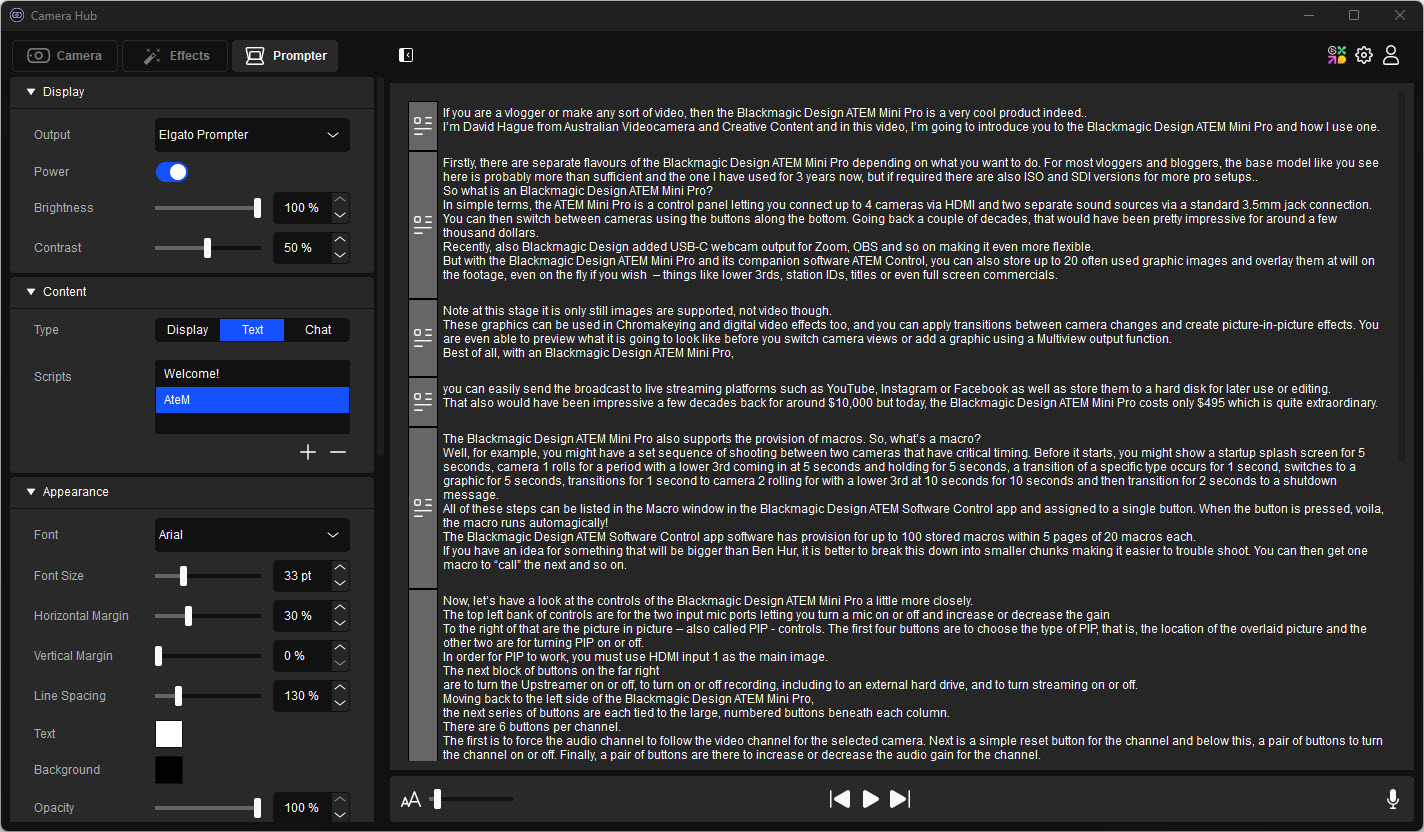
I have also just discovered that both versions can use an Elgato Stream Deck to control the Camera Hub software, something I am keen to explore further, and there is a specific plugin you can download for free for this purpose. And as I found out a little while back, voice control to pace the script is supported on both.
Setup
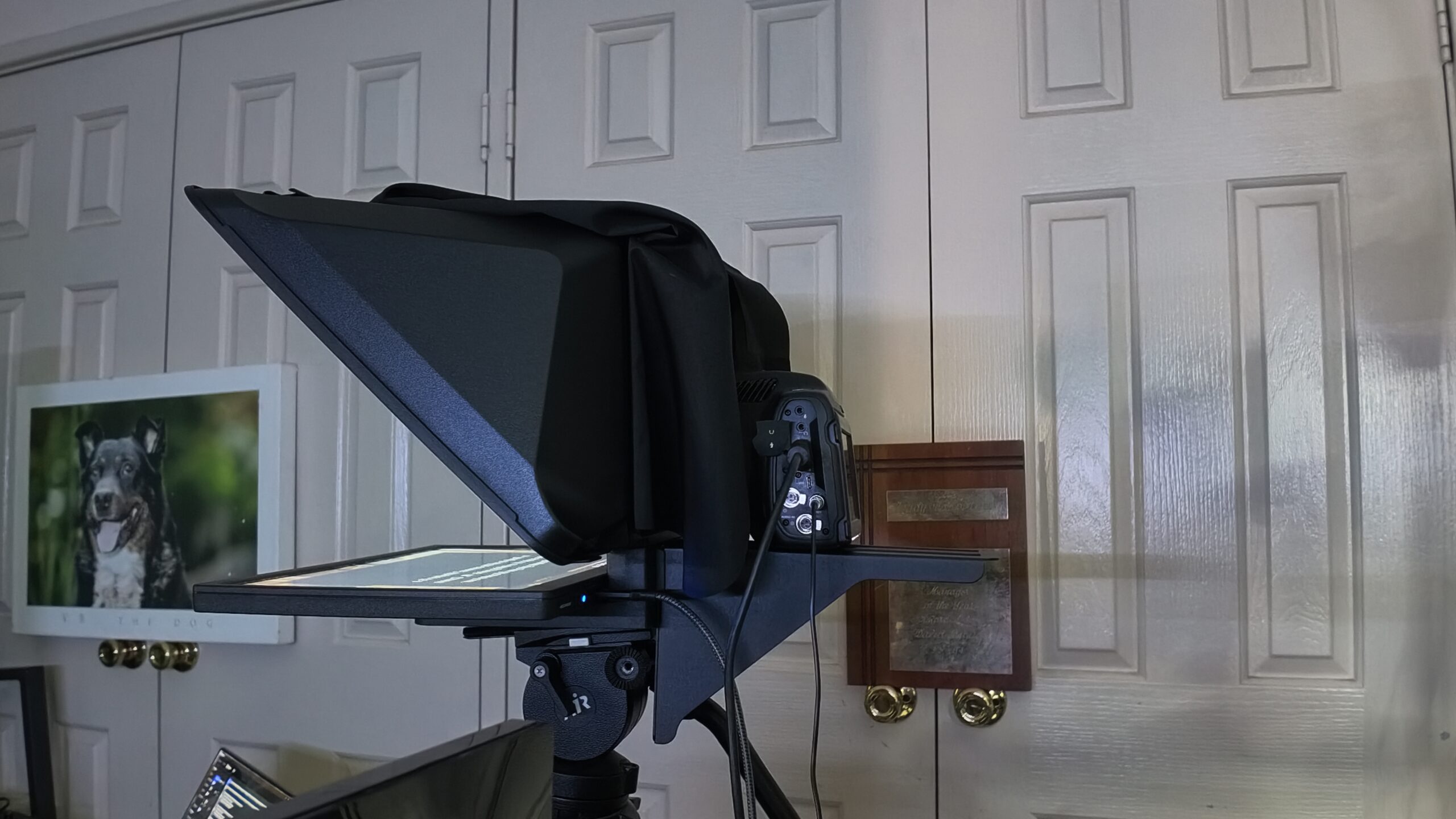
Setting the Prompter XL up is a simple task as all you need to do is put the main unit on the tripod and then attach the glass plate and reflector screen followed by the camera mount and camera before attaching the USB-C cable to your PC or Mac. Total time to put it all together was maybe 15 minutes tops, and a good 5 minutes of that was trying to put the upper screen in upside down!
My Dell PC supports voice control, but my Gigabyte Aero laptop doesn’t which surprised me. If you are planning on using this feature, you need to check the specs of your video card. For Windows it needs to be an NVIDIA RTX 2060 or better and for a Mac, Apple Silicon M1 or better.
By the way, you’ll find that once you have used voice control, you won’t go back.
Conclusion
The Elgato Prompter XL is truly a professional piece of gear and retails in Australia for around $999. The basic Prompter has been seen in shops for between $369 and $469.
If you read scripts to camera for whatever purpose, I can highly recommend getting either. The Prompter is ideal for using with a desk-based setup and a webcam, smartphone, action cam or mirrorless whilst the XL model is for dSLR, mirrorless or pro rigs such as the Blackmagic Design Pocket Cinema Camera 6K Pro or even bigger.
You can get more information from the Elgato website.