
Have you ever had one of those tasks that you know you should do (for whatever reason) but as soon as you start to approach it, within a millisecond, something seems to crop up thus postponing the task.
And usually, you subconsciously think “thank goodness”, as you have been putting off said task for any number of reasons:
- It seems to hard (supposition)
- Not sure how to approach it (Where to start?)
- It’s probably not worth it (Can’t really see a use for it)
- Something else
This was my approach to the DJI Focus Pro system. Until today that is.
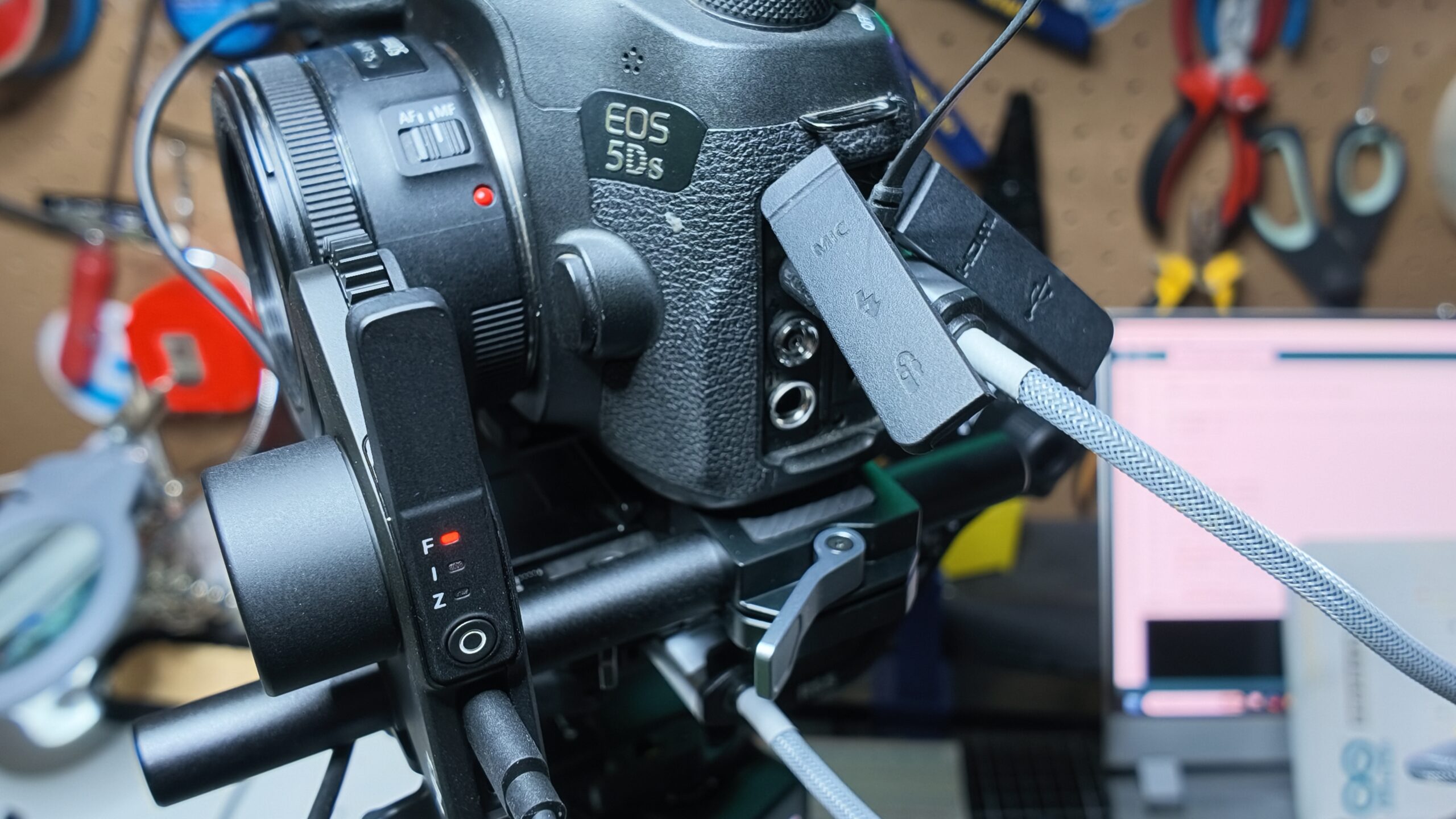
I have had my Canon 5DS on a DJI Ronin RS5 gimbal for some time now (my Blackmagic Pocket Cinema Camera Pro 6K is permanently on my Miller Solo tripod these days with an Elgato Teleprompter attached).
The DJI Focus Pro is ideally suited, no, designed, to work with either an RS 4 or 5 series gimbal, but frankly, looking at the instructions to install it, attach the USB-C cables, calibrate it and so on was on the surface, a little daunting.
For one, the instructions and line drawings are horrifically small, and unpacking all the bits and bobs from the box, it reminded me of a Meccano set with rods and cables, screws and rubber belts along with USB-C cables.
But, as is often the case, I was wrong.
Assembly
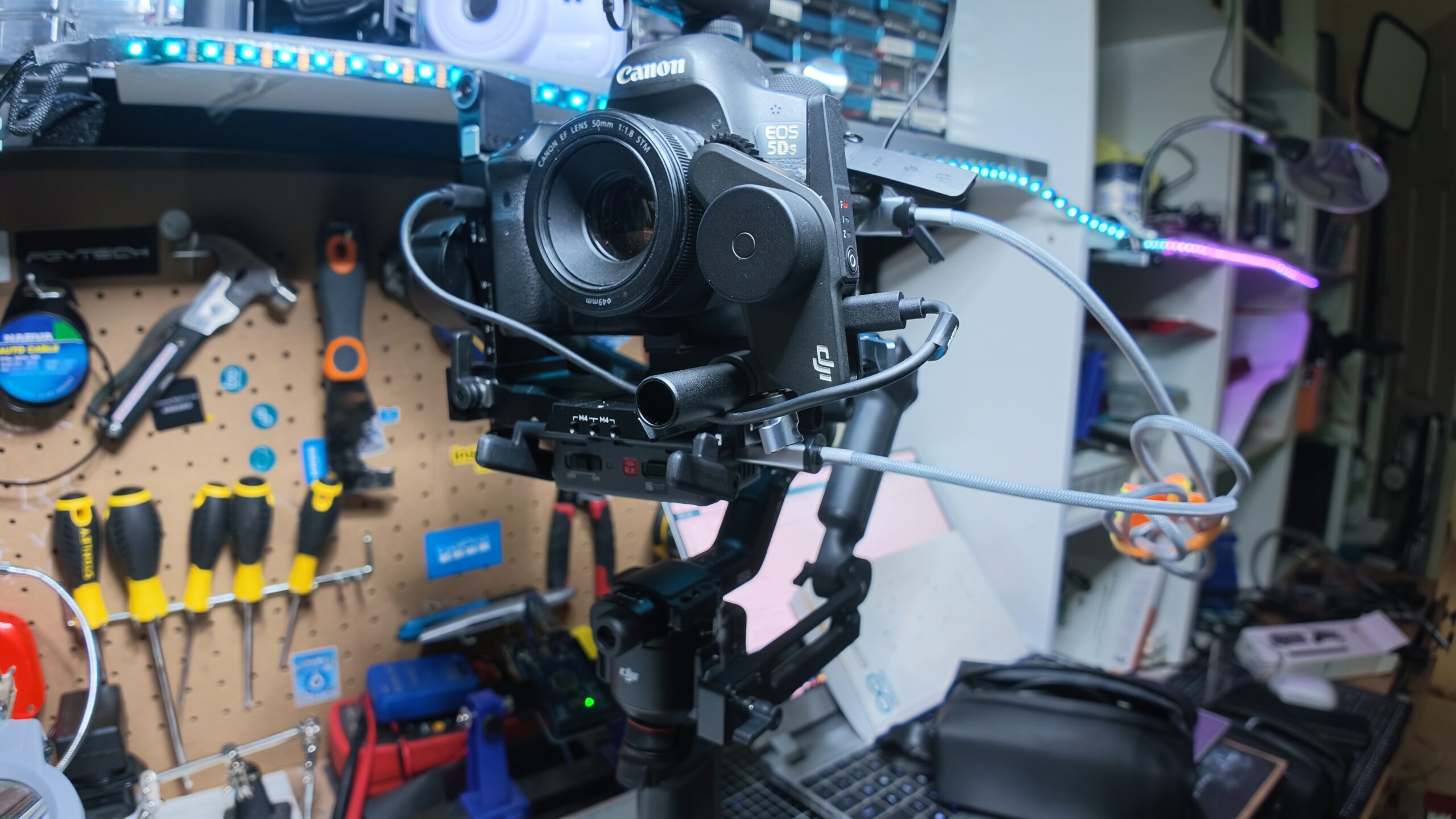
Step one is to remove the original base plate from the RS 5 gimbal and replace it on the camera with the unit supplied with the focus motor. The motor itself sits on a rod that slides through the base plate as you can see.
The next bit I admit had me flummoxed for a while and that was the application of the toothed rubber belt. I could see that it went around the lens with the teeth meshing into the lenses focus ring ribbing, but it was far too long.
A quick search told me that the answer was actually quite simple; apply the belt and then simply cut off any excess. I was loathe to do this as then it mean future use on my Canon 70-200 lens might be compromised and I’d have to get another belt as a spare part.
A footnote in the search engine then hit me with the obvious, in that the motor could be angled to mesh its gears directly with the lens – no belt needed.
Goodo, as putting the belt on is the fiddliest part and if I didn’t have to it again all well and good.
Power
Everything now was pretty well assembled except for power, and this can be supplied to the Focus Motor in a few ways. The easiest and best in my circumstance was to simply pull the electricities straight from one of the Ronin RS 5 USB-C ports, but of course you could use an external power bank or even an mains adaptor, although the latter would of course hamper movement.
Not Just Focus
The DJI Focus Motor has a bit of a misnomer in its name as it is not just for focus. It can equally be set up for iris or zoom – it all depends on where the belt / gearing is attached. A small switch on the side of the motor changes between these options.
Conceivably, you can therefore have three motors on a single camera and assign each to a different task.
In my case, the nifty 50 I have on the Canon 5DS only has the focus option, so I simply left it on the “F” setting as against “I” or “Z”.
The next step was to calibrate the motor and after a couple of failed attempts, I discovered this particular lens, not a genuine Canon, allows the ring to keep rotating even though you have reached the limit of focus at both ends.
Thankfully, you can go into the menu of the RS 5 and set the start and end points manually, so problem easily solved.
The final step is to assign a control on the gimbal to the Focus Motor.
It is recommended to use the rotary dial of the Ronin RS 5 and again, this is assigned in the gimbals menu system.
So all good to go!
Err… no.
Whenever you add anything to a camera on a gimbal, it is imperative to re-calibrate the gimbal’s axes to account for the extra devices (and weight distribution), and this includes devices such as focus motors, microphones, external monitors and even in the case of the Ronin RS 5, the tracking module.
Conclusion
After all the installation was complete, I still needed to go back a few times to manually recalibrate the start and end focus points, but all in all, despite my earlier misgivings, it was a reasonably simple process to get the Canon 5DS, DJI Ronin RS5, DJI SDR 2 transmitter, the tracking module and the Sennheiser MKE400 all snugly coupled together and working well.
I’ll accept At $1389 it is not an accessory for everyone. Add the value of this together and it adds to a tidy sum. But for the pro, especially in the run’n’gun environment, it makes life so much easier and more flexible.
It’s important that for your $1389 though, you get a little bit more than I explain in this review. Included in this Combo Kit are a LiDAR system as well as the motor and other bits I have described. With a compatible camera you also get Bluetooth control – a full listing as well as other combo kits are listed on the DJI website here.
One thing I will mention though is that I’d suggest, no, insist, on adding the briefcase arm to the gimbal as otherwise your arms and wrists tire very, very quickly as nicely balanced as the Ronin RS 5 is.
As I have mentioned a number of times, I’ve had carpal tunnel surgery on my right wrist and sadly it wasn’t altogether successful causing the wrist bones to be a little arthritic.
I found I could use the setup explained here for around 10 minutes amt a time before a serious rest was needed.