
Way back in the distant past, I was contracted to a company called Computer Television in Perth (Western Australia). My job was to create scripts for training videos, particularly Microsoft products, starting with what was then, Windows 95.
The job description gradually widened to also include directing the shooting and also getting involved in production.
After the 8 tape Windows 95 volume series (we were distributing via VHS this being 1995 and everything!) was completed, we moved on to the new Office 95 which then consisted of Word, PowerPoint, Access and Excel.
For these, we changed from a “dry” format to one that told a story; specifically, we wove the narrative around how a radio station could use the programs in their day-to-day operations. I had a good relationship with 6PM headed by the legendary Gary Roberts and actually shot a lot of the scenes inside the station itself.
Because of the nature of the content, there was a lot of live action associated with dialogue. This was unlike previous videos that were all voice over based, and so we needed a way of displaying the script for the actor(s) to read or at least be prompted by.
A proper autocue was out of the question due to cost so we improvised. The script was printed out in large type onto continuous paper from a dot matrix print (remember those?) and then wound around a cardboard tube by someone standing either next to the cameraman Steve, or sitting directly below the lens on the floor. They would then unroll the script as the shooting of the scene progressed.
Not ideal by any means, but after a while we found a happy medium of speed of unroll and font size that worked.
There Is An App For That
Looking back on that now it seems comical; technology has come so far in that time that even the word “improvise”: is little used as there is always an “app for that”. Or a gadget at worst.
And so it is with an autocue.
I did a quick review a few months back on the Elgato Prompter, and now having used it for some time, felt it worthwhile revisiting the subject.
Retailing at around $450, the Elgato Prompter comes with a bunch of adaptors to affix it to a camera lens’ thread. I use Canon lenses on my Blackmagic Pocket Cinema Camera 6K Pro, and so a 55mm adaptor is used.
You can also mount it on a tripod of course, and there is provision to also affix a light above the readout.
The Prompter is connected to your computer by a supplied USB-C cable. I suggest you use the supplied one as some others I tried simply didn’t work.
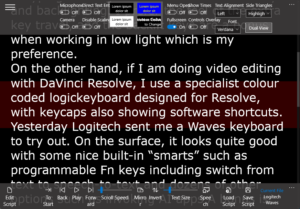
On the PC itself, an app is used to display the text and you can set things such as scroll speed, font and font size and even colour if you wish. The way it works is quite simple really. Windows thinks the Prompter is another monitor and the app just directs your content – the script – to that monitor.
Everyone’s settings will be different of course. I found that setting a slower scroll speed to be better as it forces me to slow down my speech. I had no idea in the real world I spoke so fast! It will take a little time to get it Just Right, but it is worth the experimentation as it makes a huge difference to your delivery.
I also found out that the software I used to use on the PC called Teleprompter Pro would utilise the Elgato Prompter and this was a major bonus as it has far more facility that the Elgato suggested one. It’s inexpensive too – under $20 – you can read my review here.
Conclusion
If you do a lot of talking to camera, I highly recommend the Elgato Prompter. It has a bigger brother now too, the Prompter XL which allows for a further distance from the viewer, up to 4.6 metres in fact, and higher resolution. It retails for around $900 or so and you can get all the details and a comparison table here.
I cannot stress enough what a difference a teleprompter makes. It makes recording faster and a much smoother process. Ally it with a RØDEcaster Pro II and an Blackmagic Design ATEM Mini Pro and you truly have a TV studio on a desk.
(For mics I use either a Sennheiser MK4 if I am sitting at the desk and using a green screen, or a Sennheiser Wireless Profile for field work)