
26 years ago I asked Adobe for a review copy After Effects, its motion graphics application.
The movie “The Matrix” had just been released and in the various (early days) online forums dedicated to special effects, everyone was trying to work out how they had done the green falling text in the titles of the movie, and After Effects was the favourite vehicle for many to attempt to recreate the effect.
As an aside, if I recall, After Effects at the time cost over $2,000 in Australia.
Anyway, to cut a long story short, Adobe refused my request, at the time saying, “it was too complicated a program for consumers”. It took another 6 months to convince them.
Fast forward to today, and not Adobe, but Maxon, whose initial claim to fame is the 3D program Cinema 4D. After starting out in Germany early this century, Maxon has grown in leaps and bounds, acquiring various software houses along the way – much in parallel with similar company BorisFX – and the company has just released a sort of After Effects competitor called Autograph.
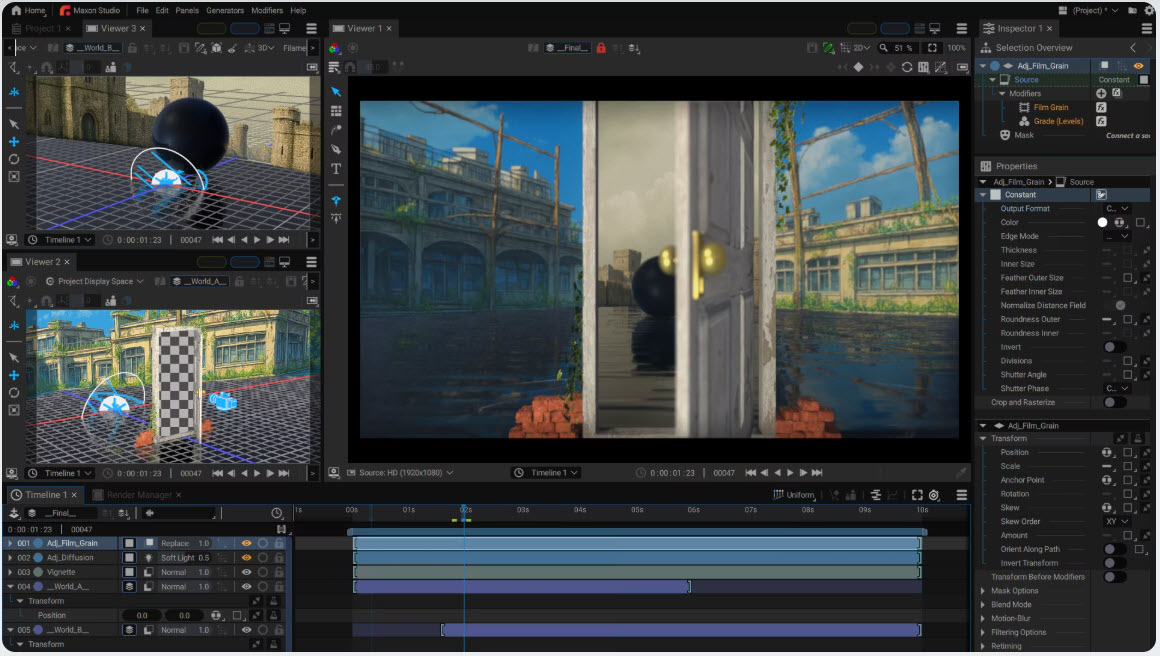
I say “sort of” as on the surface it appears to do everything After Effects can, but so deep in scope are motion graphics applications, you can never be sure they’ll match each other in capability, especially as I have only had a short play at this stage.
So, why would you use Autograph against After Effects? Well if you already have After Effects as a part of the Adobe Creative Cloud subscription, you probably wouldn’t. But if you are looking for something to do motion graphics, then it is certainly worth a look.
To quote from Maxon’s web page for Autograph;
“Autograph is a software solution that combines professional tools for motion graphics, VFX/compositing, and 2D/3D projects across industries. Optimized for speed, Autograph uses its GPU-powered engine and extensible capabilities to provide creative tools for anyone searching for a unified toolset.”
Plus y’see, Maxon has taken a leaf from Blackmagic Design’s book and made it free, the only proviso being you have to be a registered user of “MyMaxon”.
You can get Autograph by clicking here.
There is a Getting Started tutorial here.