
Way back in a different century, and I was a damn sight younger than I am now, for a number of years I used to fiddle the controls on the audio mixer for my older brother Stephen’s band in Perth, here in Western Australia.
Initially the group was called Penny Lane, became Bach, then Flight and finally, Nirvana – way before the other one copied us.
In those days, pubs were the main go-to gigs, followed by nightclubs, and we had a very good run working 7 days a week with 2 gigs a day – the pub from 7:30 until 10 and then a nightclub until 3am.
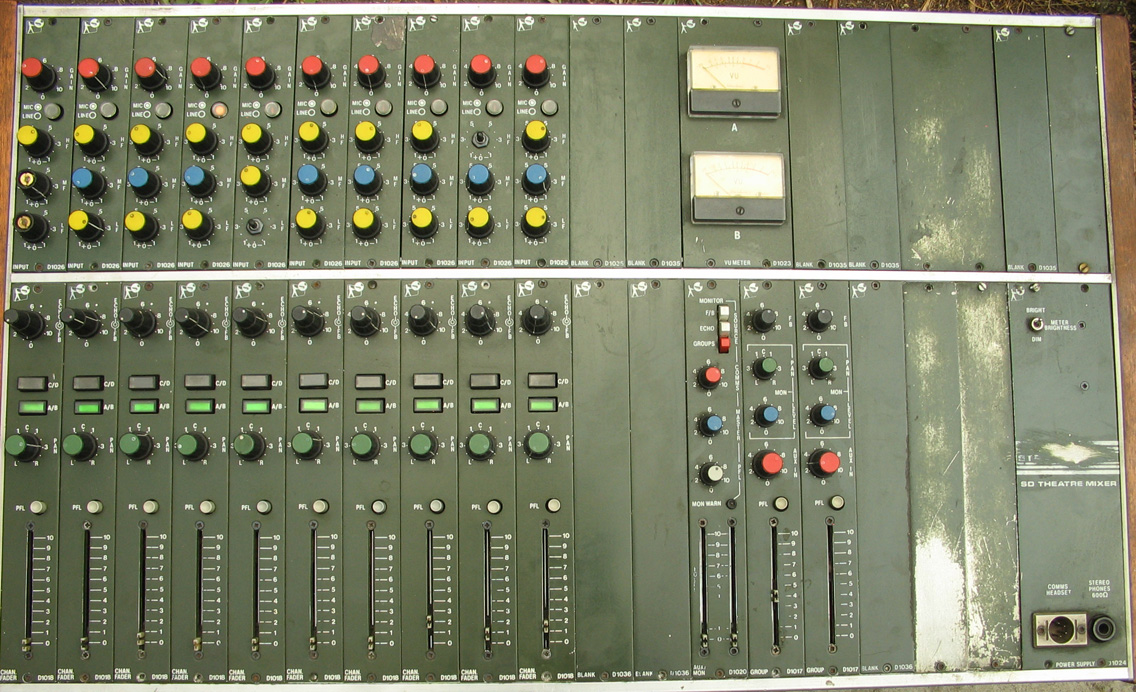
The gear I had to play with was of course in those days all analogue. The main console was similar to the one pictured and all the instruments – guitars, bass, drums and keyboards – were all mic’d through it, as well as the vocals. Additionally, we had a custom built 16 channel stereo equalizer.
I never had any predilection to playing a musical instrument – brother Stephen was classified as one of the best bass players at the time, and my younger brother followed in his footsteps, now with his his own recording studio in Bridgetown in SW Western Australia.
A Voice For Scriptwriting
I mention this as background only; these days video is my thing, and whilst I understand the basics of audio, the finer points of the digital form of the craft are somewhat beyond my ken.
Add to that, and despite more than 10 years on air on and off in commercial radio, I have a voice that was once described by Mitch, a producer/presenter at Triple M in Sydney as “superb for writing scripts”.
So, I have been putting together my tutorials over the last year or so with the distinct disadvantage of knowing the audio side is not as good as I’d like it to be. Oh, for sure, I have attempted to play around with the various tools at my disposal such as Sound Forge, Audacity, Audition and my video editor of choice, DaVinci Resolve, has the fantastic Fairlight tools built in, but I’m sorry, noise gates, compressors, EQs and their ilk are just out of my comprehension range at this point as I have better things to do.
Problem Solved
About 18 months ago I reviewed a new kid on the block in the audio world called CrumplePop. Yesterday, from the owners, BorisFX I received an update that allowed the latest version to act as a plug-in to programs such as Audition., Audacity, Premiere Pro and, joy of joys, DaVinci Resolve.
And this brings me to the crux of this story.
Just one of the tools encompassed in CrumplePop, Voice Enhance Complete is simply astonishing. Select your audio track, apply this plug-in to it, wait a few seconds for it to process and bingo!
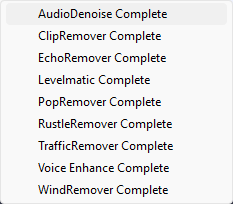
I am still not enamoured to the name CrumplePop I admit, but the results speak for themselves. Just play this clip below and you will hear the before and after changing at around 14 seconds. I have done no more than apply the defaults to the track although I am sure further tweaking by an expert, or simply playing around might yield better results.
Other tools included in CrumplePop by the way include Audio Denoise, Clip Remover, Wind Remover plus another 5 as shown.
Conclusion
I am certain when it comes to audio, I am not alone in being a bit of a Luddite. If I put my mind and energy to it and studied the science a bit more, I am sure I’d pick it up and become quite a dab hand with applications such as SoundForge or Audacity.
I – and many, many others – bang on and stress about audio being as important as the imagery in any production, but for us audio challenged folk, CrumplePop offers a simple but major step to getting yours (and mine) just, well, better.
At around $22 a month on subscription for a single host, or $35 for all hosts (you can cough up $920 for a full perpetual licence too if that’s your bag) its not overly expensive if you are serious about your productions.
You can download a free trial if you want to have a play, and CrumplePop is available for both Mac and PC.