
I have said it before, but there is a lot of wireless mics on the market right now. If you are a podcaster or vlogger for example, the sheer number of options can be quite overwhelming with multiple choices available from industry stalwarts such as Sennheiser and RØDE, plus multiple models and configurations available from DJI, GoPro, Hollyland, SONY, amaram, Comica Audio and Belkin to name a few.
And now, Insta360 would like you to have a look at its latest offering, the e-ink Wireless Mic.
No, that is not a typo for “link”, it really is e-ink, and its one of a couple of features that sets this wireless mic system apart from the rest.
One criticism that pops up often of wireless transmitters – the mic part – is that the company logo is too prominent and draws attention to it when attached to a collar or via magnetic clip to clothing.
Insta360 has gone one step further and put a 196 pixels per inch OLED screen onto each 38mm diameter “puck” mic, and you can download to it any image you want – your company logo for example, the name of your podcast, or of course, just a blank black (or whatever colour clothing is being worn) image.
Being OLED, power draw is minimal so there is no need to worry on that score.
Transmitter
The other party trick is each transmitter has a three-mic array that can be configured a number of different ways – four selectable polar patterns — omnidirectional, super-directional, cardioid and figure-8.
For most users, the omni-directional setting will be more than adequate, but if you take advantage of the camera cold shoe mounting, in super-directional or cardioid mode, you get a setup that acts quite nicely as on-camera directional mic. You get the best of both worlds of a single mic covering both lavaliere and shotgun mic roles.
Receiver
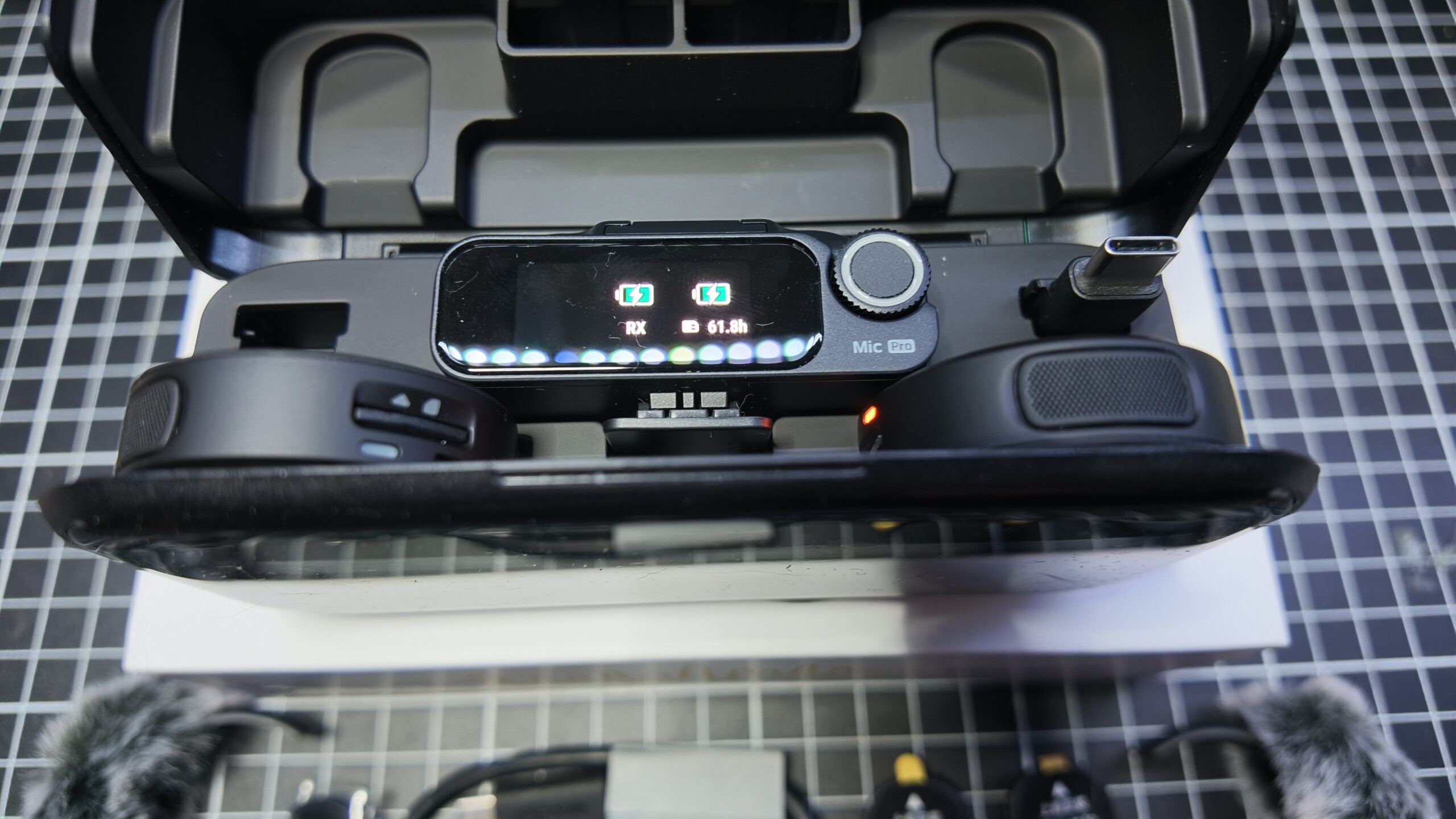
The receiver (RX) of the Insta360 e-ink Mic is a pretty standard affair with a small OLED touch screen for settings. Simply swipe down to access the menu and then left or right to access the required option(s). These include RX Settings, TX Settings, Monitoring – there is a 3.5mm audio out port on the side above the 3.5mm out port for data to the camera -, Timecode and General (date / time, brightness, language etc).
Straightforward and follow your nose stuff.
Recording Options
The 48kHz sampling frequency and 24-bit wireless transmission I found gave very clear and clean recordings, more than comparable to any others I have reviewed that fall into the podcast / vlogger genre.
Unique as far as I can tell, is the storage method in this mic system. Whereas everyone else has gone for built in memory in the transmitters, Insta360 has opted for an SD card slot, compatible with cards up to 1 TB with recordings be stored as 32-bit floating point. This means you can recover audio from any loud events that might occur during recording in post-production without clipping or distortion.
The amount of audio you can store is very good too with up to 13 hours battery life in the transmitters and 11 hours in the receiver.
Insta360 Direct
The company has followed DJI’s lead by creating an ecosystem outside of the standard Bluetooth / Wi-fi scenario. Called Insta360 Direct, this allows connection of devices directly without any outside connectivity being first made.
In the Insta360 case, you can connect the e-ink transmitter (mic) directly to the X5 and X6 cameras from Insta360, as well as the Luna series, GO Ultra or Ace Pro 2.
You can then adjust things like noise cancellation, gain and recording options from the camera itself via the receiver.
Other
Other things worth mentioning include a line of sight transmission range of up to 400 metres (in ideal conditions), built in time code, auto gain control and an AI based noise cancelling system, which I have to say, is excellent.
Back To The Party Trick
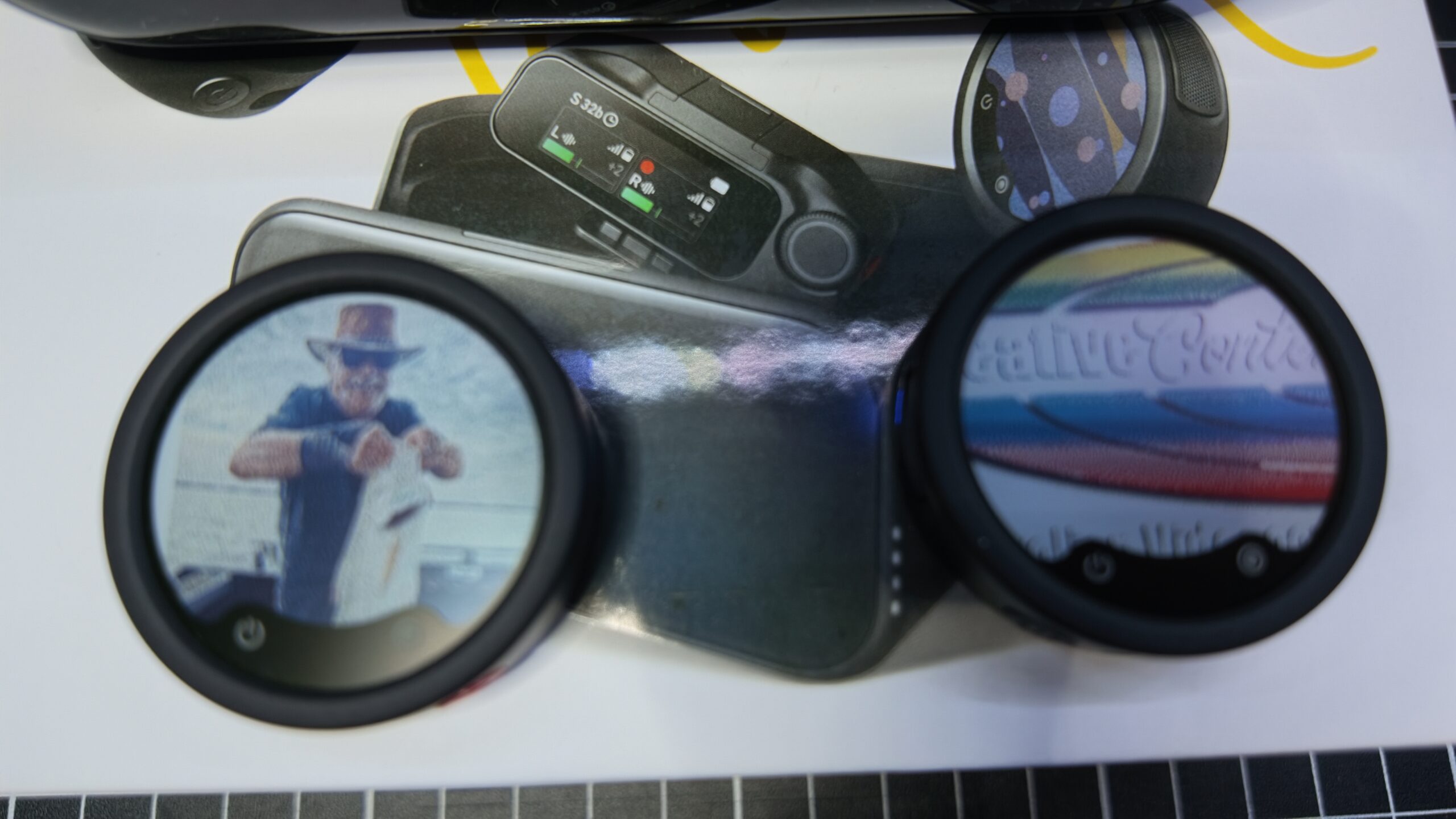
Of course, the option of adding your own images / logos to the TX OLED screen is the major party trick of the e-ink Mic Pro. Apart from its obvious gimmick value, there are practical applications too, especially in a multi – mic setup (one receiver can handle 4 transmitters).
I can see how labelling each one differently could be of assistance to an audio operator in the field for example, allowing easy visual identification.
I found the process to transfer images from a PC to the mic is not as straightforward as I would have hoped. You need a smartphone running the Insta360 app to act as a transfer station to make it work.
The steps I took were to get the image to a suitable size, use Bluetooth to transfer it to my phone (a Samsung S24 FE) and then use the Insta360 app to further send the image to the transmitter.
It was hit and miss a few times as the TX get dropping the Bluetooth to phone connection, and it was only after I had rebooted everything, PC included, that I managed to get it to work. Depending on the type of image, you may need a few attempts at different physical sizes to get an optimum look for the image once transferred.
Conclusion
It’s a crowded market for wireless lav mic these days and something needs to be really outstanding to raise above the noise of the rest. The noise cancelling of the Insta360 e-ink Mic does just that, and the OLED screen imagery adds to making this mic system stand out.
If I had one gripe, it is the case that the system comes in. It doubles as a charger – you’d expect that these days – and contains the RX and TX units as well as a USB-C adaptor for your smartphone (no Lighting connector is supplied, it’s an option, and I am guessing this is due to Apple following everyone else at last to the USB-C standard).
But Insta360 has made no space provision for the supplied magnets for the mics, wind filters, nor the audio cable for the camera connection.
I can sort of live with that;I carry a small case with for spares like SD cards, lens cleaner cloth etc so adding these in is no biggie. But the hinging system of the case is diabolical in its design. My first attempt at opening it, I gave up after 5 minutes, and when I did get it open (accidentally) I couldn’t work out how I did!
There is a trick to it; it all depends on where you hold the case when you slide down the locking mechanism.
Overall though, if I had to buy a system right now, the Insta360 e-ink Mic would certainly be on my “must look at” list, and I’d want a test play at a camera vendor who knows this stuff.
If I had to give a score out of 10, the Insta360 e-ink Mic is worthy of an 8.5 with 0.5 taken off because of that bloody hinge on the case.
Yes, the price is higher than any of its competitors by around $150, but I’d suggest if noise cancelling is a thing, then the Insta360 e-ink Mic Pro is definitely the go for you, and the rest is icing.