
One of the most common questions in Facebook groups for action cameras – think GoPro and DJI Action – is what microphones can be used externally to get better audio.

Well, a bit of research has told me that world has opened up a bit further than it was previously for some of you who own such a camera, but sadly, not all.
The one surprising thing I discovered is not one of the range of RØDE wireless mics will work with either a GoPro or DJI Action cam. The reason is that RØDE uses its own proprietary 2,4GHz signal transmission between the transmitter (mic) and receiver. To use one, the receiver needs to be physically connected to the cameras via USB which sort of negates the flexibility of the camera a bit – a drawback considering their deigned use.
This limits your options quite dramatically but there are a few twists and turns to navigate.
First, GoPro do make a wireless mic, released only a few months ago. The catch is that to use it via Bluetooth, you must have the new GoPro Mission 1model, not an earlier Hero series; that will still require a USB-C cabled option.
So, that leaves your choice of mic via Bluetooth now to a choice of 4 models – 3 from DJI and 1 from Sennheiser.
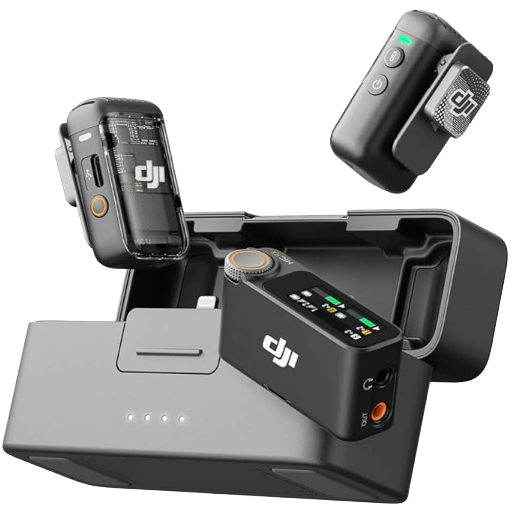
The DJI Mic 2 and Mic 3 as well as the DJI Mic Mini all work via Bluetooth to a GoPro. Better, they can pair directly to DJI cameras using DJI’s own audio system meaning you don’t even have to use the receiver as the camera will record directly the data from the microphone(s).
Also be aware the DJI mics will only connect via Bluetooth to GoPro Hero 12 and 13 models.
Sennheiser has recently entered the fray with an upgrade to version 5 of its firmware in the Profile Wireless series. Once upgraded, the Sennheiser Profile Wireless will pair quite happily with both GoPro and DJI models.
They also have the option of backup recording to the mics if the Bluetooth connection fails or is out of range of the receiver / camera as unlike wireless which usually gives up to 400 metres range or more, Bluetooth is a short range wireless system so best used for vlogging and the like as against shooting for documentaries, travelogues etc where the camera might be a distance away.
So, in summary:
Bluetooth direct-to-camera (no receiver/cable needed)
| Mic | GoPro | DJI Action Cam |
| DJI Mic 2 / Mic Mini / Mic 3 | Bluetooth on Hero 12/13+ only | Native OsmoAudio on Action 4/5 Pro/6, Pocket 3/4, Nano, Osmo 360 |
| Sennheiser Profile Wireless | Bluetooth, after updating to firmware 5.0.0+ | Same firmware update covers this |
Footnote: It also appears that the Sennheiser Wireless Profile works via Bluetooth with the DJI Pocket 4 and therefore also probably with the forthcoming Pocket 4P. It goes without saying ofd course the DJI Mic 3 etc will also connect using the OsmoAudio system.