In The Beginning
My first FPV drone was the original DJI FVP. This was a largish unit, roughly the size of the current Air series, and when it started up, as someone once said, it had the “growl of a terrorist”.
This was early in my drone flying escapades – if you ignore the GoPro Karma which most of us try to do, and I had had for three years before it met a briny death in Hervey Bay whilst chasing a whale (no fault of mine I hasten to add – it was a battery design issue).
When I first fired up the DJI FPV, I put it in Sport mode – to quote Mr Clarkson, “how hard can it be?”.
It took off like a stabbed rat, scaring the daylights out of me, and a number of motorists I suspect, driving along the road that paralleled the park I was in.
The acceleration was ferocious, as was potentially the power cable stretched across in front of the FPV that thankfully either through luck or extremely good on-board sensors, I managed to avoid before wresting the beast back into control.
I hadn’t even got to wearing the goggles or using the motion controller at that stage; this was just with RC2 controller unit with the joysticks.
5 years or so later, things have come a long, long way in the drone department.
Five Years On
When I first flew the FPV, the Mini series was still at the Mini 1 stage to give you an idea, and there have been another four generations of that since then, as we are now at the Mini 5 Pro, which is outstanding by the way.
The Air 2S is now the Air 3S, and probably the best all round drone, and we have new models in the NEO and Flip series. Plus of course, there is the mighty MAVIC 4 Pro.
Object detection sensors have improved with many models having full 360° protection, 4K cameras are now standard, battery life has increased and – whilst it’s a moot point due to local CASA rules over drone flying – range has also improved as have transmission capabilities.
What about the AVATA I hear you say? The AVATA 1 sort of replaced the original FPV, and came in a smaller form factor altogether, but still had the option of goggles and motion controller. This was followed by the AVATA 2 with better optics, sensor and battery life.
And now we have in the wings – pardon the pun – the AVATA 360, which for reasons I’ll go into later, DJI is calling its “flagship”.
Goggles and Motion Controller
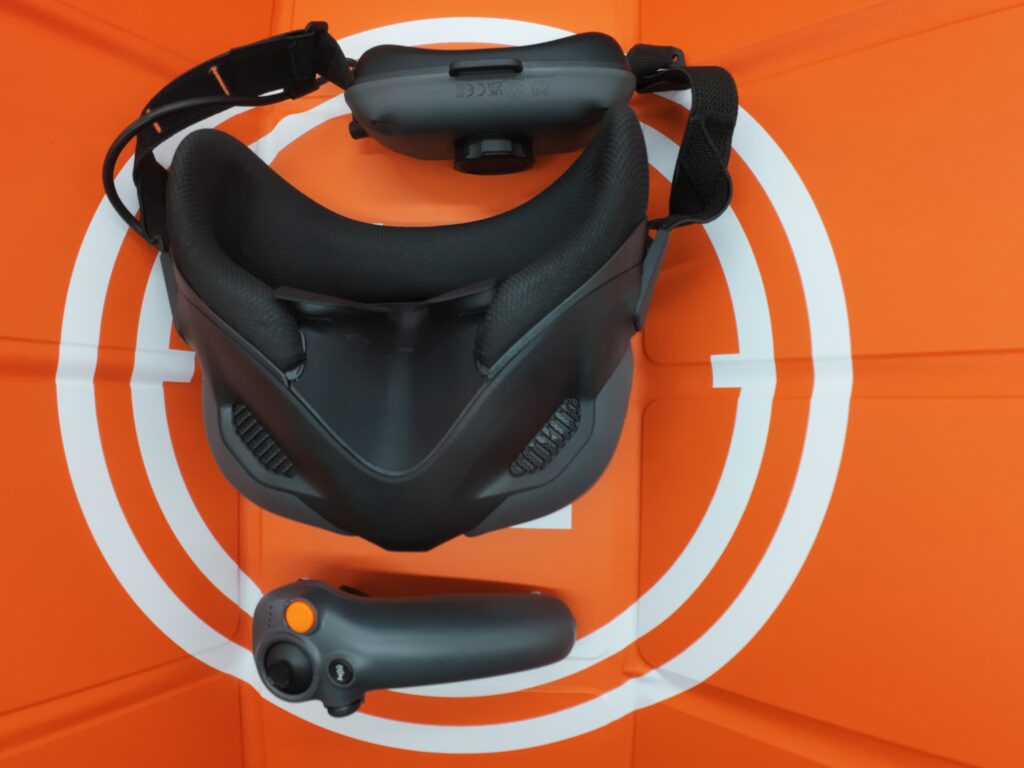
The AVATA 360 takes advantage of the Goggles N3 unit which also can be used with the NEO 2, and these are a HUGE improvement over the original FPV goggles for two specific reasons in my opinion.
Whilst being technically superior, they are now built in such a way that if you do wear glasses, as many people do, you will probably have no need to add any dioptres for lens correction. The Goggles N3 fit snuggly over my glasses – although thanks to recent cataract surgery, this is no longer so much of an issue, for me at least.
Secondly, the original goggles had an external USB cable attaching them to a free-standing battery. This always managed to get in the way and in truth, made flying a chore instead of a pleasure. Now with the N3 series of goggles, the battery is incorporated into the headset itself and is a part of the rear strapping and sizing mechanism which works very well.
The Motion Controller 3 is a smaller unit than the original and works roughly the same – again I’ll go into detail on that later – but is more ergonomic and responsive in my opinion.
Pairing the Goggles and Motion Controller is easier too in that it is just a case of pressing the on/off button for 5 seconds on each, while everything – drone, goggles, motion controller and RC2 controller – are powered up, and waiting for the beep of success.
In reality though, for many there may be an extra step involving the DJI Fly app on your smartphone to get the latest firmware for the N3 Goggles at least. I am not sure if it is just me, or the time of day, but I have usually found the DJI servers quite slow in download firmware updates, and the promised 10 minutes took well into an hour.
Once that was all completed, I was ready to have a fly, firstly with the RC2 controller before braving the Goggles and Motion Controller combination.
Ready To Fly
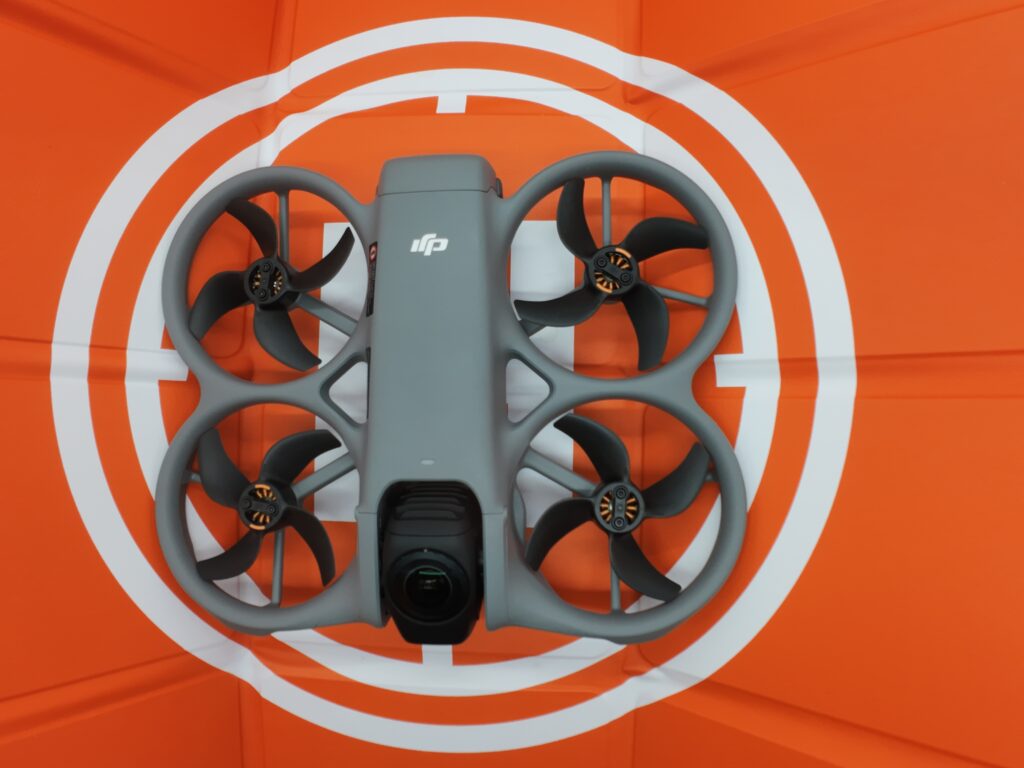
I firmly, firmly recommend you become absolutely conversant with all of the controls on the goggles and motion controller before doing anything serious. I also highly suggest you download the DJI Virtual Flight program and practice, practice.
Trust me, flying the AVATA 360 is nothing like zipping around the local park with a NEO, Flip or Mini 4.
I also urge you to take out the DJI Care plan, whereby if you do stack the drone or lose it – it happens – then for a comparatively small amount of $, that insurance will cover you for a replacement. Anecdotally at least in the various DJI forums I frequent when Something Bad Has Happened, DJI has been very sympathetic.
Part 2 with details on the actual specs and flying experience of the AVATA 360 very soon.